GetRender
AI-powered architectural, interior, and landscape rendering and design studio.
AI Design·freemium
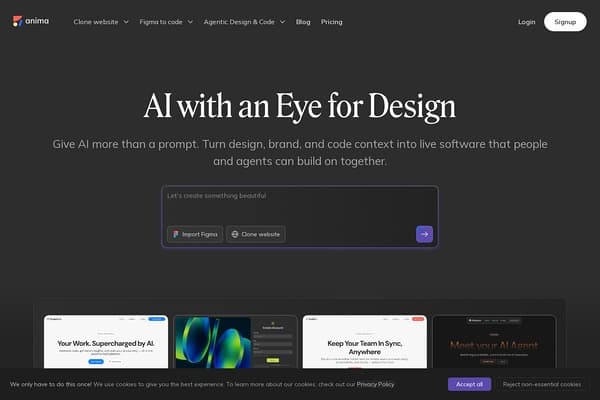
Turn your designs into code effortlessly with Anima!
Anima is a groundbreaking AI tool that bridges the gap between design and development, specifically tailored for developers and designers looking to transform static Figma design files into interactive, responsive websites and applications. With over 1.8 million users, including industry giants like Netflix and Disney, Anima makes it easier than ever to turn design mockups into functional HTML or React code, streamlining the workflow from conception to deployment. The tool's AI-driven capabilities allow for seamless integration, enabling users to select their preferred tech stack—whether it's clean CSS, Tailwind, or inline styles. Anima truly stands out by preserving the integrity of design elements, making it accessible for both seasoned developers and beginners alike.
What sets Anima apart is its powerful features that enhance user productivity. From directly importing designs from Figma to cloning websites while preserving navigation, the tool simplifies complex tasks, making it user-friendly and efficient. Moreover, with options for customizable code output and version control, Anima empowers users to maintain consistency across their projects while ensuring ease of updates. The ability to visualize real-time changes while developing and testing applications further empowers users, ensuring that Anima is a must-have in the toolkit of anyone involved in UX design and web development.
Anima offers a freemium pricing model which allows users to access basic functionalities for free. More advanced features and integrations require the paid subscription plans, starting at $12 per month for individual users and higher for teams, based on specific requirements and scale of usage.
Pros
Cons
Anima offers Figma integration for direct design imports, responsive HTML and React code generation, and customizable code output options including CSS and Tailwind.
Absolutely! Anima is designed to simplify complex coding tasks, making it accessible for users without extensive coding experience.
Yes, Anima supports team features and collaboration, enabling multiple users to work on design and development projects simultaneously.
Anima includes built-in version control, allowing users to revert to previous project states and maintain consistency throughout the development process.
Currently, Anima primarily supports Figma imports, but there are plans to expand compatibility with other design tools in the future.
Need to organize your AI tool files?
Managing files from Anima and other tools? The Drive AI automatically organizes, tags, and retrieves all your files with AI.
Try The Drive AI free