ImageToLatex
Convert formula images to editable LaTeX and Word equations with live preview.
AI Productivity·freemium

AI assistant for smart, content-driven document management and organization.
The Drive AI is an advanced AI-powered document management assistant designed to transform how businesses handle their digital files. Unlike traditional solutions that rely solely on file names, The Drive AI utilizes sophisticated AI to comprehend the actual content within documents, enabling precise categorization and organization across various cloud storage platforms. This intelligent understanding allows users to effortlessly sort, share, rename, merge, and even e-sign documents through intuitive natural language commands, streamlining complex file operations into simple conversational interactions.
Seamlessly integrating with popular services like Google Drive, OneDrive, SharePoint, Dropbox, Gmail, Outlook, Slack, and Microsoft Teams, The Drive AI operates within existing workflows without requiring file migration or disruption. It offers continuous automated file organization with user approval and the ability to undo changes, ensuring complete control and accuracy. Additionally, each plan includes a dedicated workspace featuring version history, granular permissions, file requests, and e-signature capabilities. Tailored for document-heavy sectors such as legal, real estate, accounting, property management, and human resources, The Drive AI delivers enhanced productivity, security, and operational efficiency for businesses managing vast amounts of files.
The Drive AI follows a freemium pricing model allowing users to start for free with access to the dedicated workspace and core AI document management features. The free tier includes version history, granular permissions, file requests, and e-signature capabilities within the platform's native workspace. For integration with external cloud storage services like Google Drive, OneDrive, SharePoint, and Dropbox, users must upgrade to paid plans named Max or Team (pricing details available upon contact or in product demos). These premium plans also provide enhanced workflow automations and multi-account management tailored for teams and enterprises with greater document volumes and complexity. The platform encourages booking a demo to explore specific plan capabilities and pricing customized to business needs.
Pros
Cons
The Drive AI integrates natively with Google Drive, OneDrive, SharePoint, Dropbox, Gmail, Outlook, Slack, and Microsoft Teams, allowing seamless management across these services.
Yes, The Drive AI reads and organizes files in place within your existing cloud drives, eliminating the need to migrate or move files for organization.
You can use simple sentences like “Sort all invoices by client and year” to instruct The Drive AI, which then interprets your request to perform complex file operations automatically.
Yes, there is a freemium plan offering a dedicated workspace with version history, permissions, file requests, and e-signature capabilities. However, advanced integrations require paid plans.
Absolutely. The Drive AI previews all planned changes and supports undo options, giving you full control to approve or revert actions as needed.
Yes, it offers tailored solutions optimized for industries like legal, real estate, accounting, property management, and human resources to address their document management challenges effectively.
10 User-Centric Features of The Drive AI for Enhanced Productivity
Jun 2, 2026
The Drive AI Reviews: Real-World Productivity Impact
May 29, 2026
Mastering The Drive AI for Industry-Specific Needs
May 25, 2026
10 Things You Didn't Know The Drive AI Could Do
May 16, 2026
Complete Guide to AI File Management with The Drive AI
May 12, 2026
The Best Alternatives to The Drive AI in 2026
May 10, 2026
Best AI Research Tools for Journalists
Discover the best AI research tools for journalists. Explore AI tools for investigative journalism, fact checking, and news analysis.
Best AI Research Tools for Academics
Discover the best AI research tools for academics, including literature review assistants and citation analysis tools.
Best AI Video Tools for Marketers: Top Picks for 2024
Discover the best AI video tools for marketers. Find top AI video makers for ads, content creation, and campaign management.
Best AI Video Tools for YouTubers: Streamline Your Channel in 2026
Discover the best AI video tools for YouTube. See top picks for YouTubers: video editing, generation, and file management to grow your channel in 2026.
Convert formula images to editable LaTeX and Word equations with live preview.
Directory of genuinely free AI tools with credits and quotas
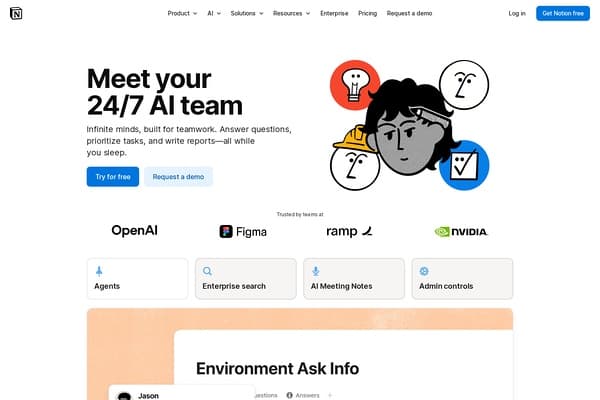
AI-powered assistant boosting productivity inside Notion workspace.