withaitools
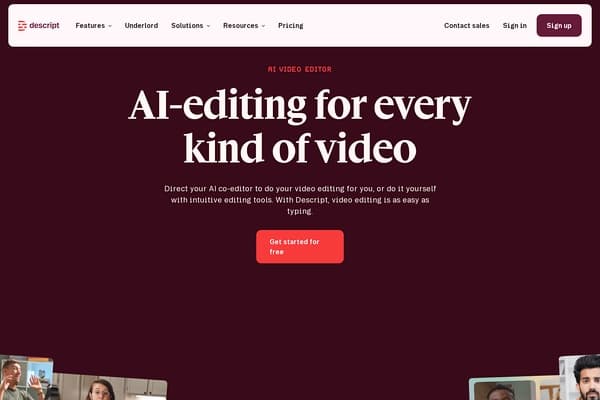
Descript screenshot

Descript

AI audio/video editor with text-based editing

0 views this week0 upvotes

About Descript

Descript is a cutting-edge AI-powered audio and video editing software that revolutionizes the editing process by allowing users to edit media content through straightforward text editing. This approach democratizes video editing, making it accessible even for those with minimal technical skills. With features like transcription, filler word removal, voice cloning, and screen recording, Descript offers an all-in-one solution for content creators, marketers, and educators alike who seek to create high-quality audio and video without the complexities often associated with traditional editing software. The platform is designed to enhance productivity and streamline content production, enabling users to focus on storytelling rather than getting bogged down in technical details.

Use Cases

  • Podcast Creation: Easily produce professional-quality podcasts by recording and editing directly within Descript, using its automatic transcription feature to generate show notes and highlights.
  • YouTube Channel Management: Transform long videos into engaging clips and create polished intros and outros with customizable templates, allowing for rapid content distribution and audience growth.
  • Educational Videos: Facilitate learning by creating tutorial videos that combine screen recording and voiceovers, leveraging Descript's captioning feature to enhance accessibility.
  • Marketing Campaigns: Generate promotional videos and social media content by mixing video and audio with captivating visuals, improving engagement across platforms while keeping production efficient.
  • Collaborative Projects: Utilize rooms for real-time collaboration with team members, allowing for simultaneous editing and feedback during video and audio production.

Key Features

  • Text-based editing
  • Transcription
  • Filler word removal
  • Screen recording
  • Voice cloning

Pricing

Descript offers a freemium pricing structure with tiered plans to cater to diverse user needs:

  • Free: $0 per person/month

    • 1 media hour/month
    • 100 AI credits/month
    • 720p export, watermark-free
    • Limited use of Underlord, the AI video co-editor
  • Hobbyist: $24 ($16 per person/month, billed annually)

    • 10 media hours/month
    • 400 AI credits/month
    • 1080p export, watermark-free
    • Full access to Underlord and AI tools
  • Pro: $48 ($36 per person/month, billed annually)

    • 30 media hours/month, 600 AI credits/month with advanced features.

Pros & Cons

Pros

  • + User-friendly text-based editing simplifies the editing process, making it accessible to novices.
  • + Automatic transcription boasts rapid speed and high accuracy, saving substantial time on manual input.
  • + AI features, including voice cloning and filler word removal, enhance audio quality and efficiency in editing.
  • + Collaborative tools allow for seamless teamwork and project management among creators.
  • + The inclusion of templates and quick design features speeds up content creation and innovation.],
  • + cons
  • + Limited features in the free plan may not suffice for professional users with extensive needs.
  • + More advanced features are locked behind higher-tier plans, which can be a barrier for some users.
  • + Voice cloning, while innovative, may require ethical considerations in usage.
  • + Performance issues may arise with larger projects, affecting editing speed and efficiency.

Cons

  • - Limited features in the free plan may not suffice for professional users with extensive needs.
  • - More advanced features are locked behind higher-tier plans, which can be a barrier for some users.
  • - Voice cloning, while innovative, may require ethical considerations in usage.
  • - Performance issues may arise with larger projects, affecting editing speed and efficiency.

Frequently Asked Questions

What is Descript best used for?

Descript is ideal for creating and editing podcasts, video content for platforms like YouTube, and educational tutorials, leveraging its text-based editing and transcription features.

Can I use Descript for free?

Yes, Descript offers a free plan, which allows for limited media editing and access to some of its AI features, though more advanced functionalities require a paid subscription.

How accurate is the transcription feature?

Descript’s transcription feature is known for its industry-leading accuracy and speed, making it a reliable choice for content creators.

Is it easy to collaborate on projects using Descript?

Absolutely! Descript provides collaboration tools that enable multiple users to work on projects simultaneously, streamlining the co-creation process.

What are the system requirements for Descript?

Descript is a cloud-based application, meaning you can access it from any device with internet capabilities. However, for best performance, a stable internet connection is recommended.

Tags

audio-editingvideo-editingtranscriptionpodcasting
Details
PricingFreemium
WebsiteVisit
AddedApr 18, 2026
UpdatedApr 18, 2026

Is this your tool?

Claim this listing to manage your tool's info, add discount codes, and get a verified badge.

Claim this tool

Reviews

Rating:

Similar AI Audio & Music Tools

People also search for