withaitools
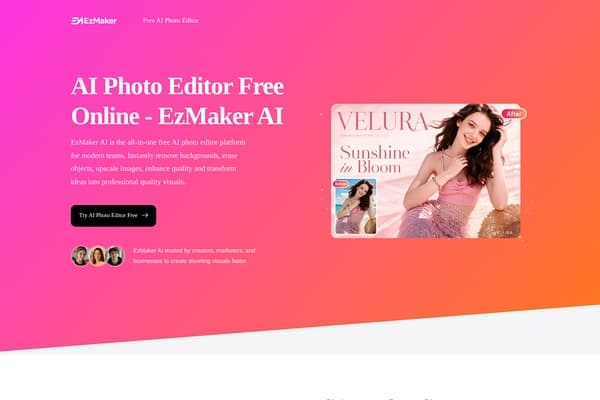
EzMaker AI - AI Photo Editor Free Online screenshot

EzMaker AI - AI Photo Editor Free Online

Free AI photo editor for hassle-free image enhancements.

0 views this week0 upvotes

About EzMaker AI - AI Photo Editor Free Online

EzMaker AI facilitates superior image editing for everyone with its intuitive online platform. It is designed for those who need instant results without the hassle of complicated software or annoying sign-up processes. Creators, marketers, and everyday users can benefit from seamless editing features that elevate their visuals in just moments. With EzMaker AI, you'll experience modern editing technology that combines speed and simplicity to achieve stunning results.

Use Cases

  • A small business owner can quickly remove backgrounds from product images to enhance their online store's appeal.
  • A social media manager uses EzMaker AI to create eye-catching graphics for campaigns without needing design skills.
  • A travel blogger enhances their vacation photos by removing unwanted objects and increasing image quality.
  • An e-commerce seller can upscale product images to high resolutions for better visibility on platforms like Amazon.
  • A wedding photographer utilizes the background remover to create stunning portraits without distractions.

Key Features

  • Instant background removal
  • Object eraser tool
  • High-quality image upscaling
  • User-friendly interface
  • No sign-up required

Pricing

EzMaker AI is completely free to use with no paid plans available.

Pros & Cons

Pros

  • + Completely free with no hidden costs
  • + Simple and user-friendly interface
  • + Fast processing time for edits
  • + Secure image handling with data privacy guarantees

Cons

  • - Limited advanced editing features compared to software like Photoshop
  • - Relies on internet connectivity for image processing
  • - Not suitable for very large files without a resolution limit

Frequently Asked Questions

Is there a sign-up requirement to use EzMaker AI?

No, EzMaker AI is completely free to use with no sign-up needed.

How does EzMaker ensure my data security?

All uploaded images are deleted within 24 hours to guarantee your privacy.

What types of images can I edit?

EzMaker AI supports major formats like JPG, PNG, and WebP for editing.

How quickly can I expect my edited images?

The AI processes edits in seconds, making it fast and efficient.

Can I use EzMaker AI for commercial purposes?

Yes, the enhanced images can be used for personal and commercial projects without restrictions.

Tags

ai-photo-editorimage-editingonline-toolsbackground-removerimage-enhancer
Details
PricingFree
CategoryAI Design
WebsiteVisit
AddedJun 11, 2026
UpdatedJun 11, 2026

Is this your tool?

Claim this listing to manage your tool's info, add discount codes, and get a verified badge.

Claim this tool

Reviews

Rating:

Similar AI Design Tools

People also search for