
Jasper AI
Transform your content creation with AI-driven automation.
AI Marketing·freemium
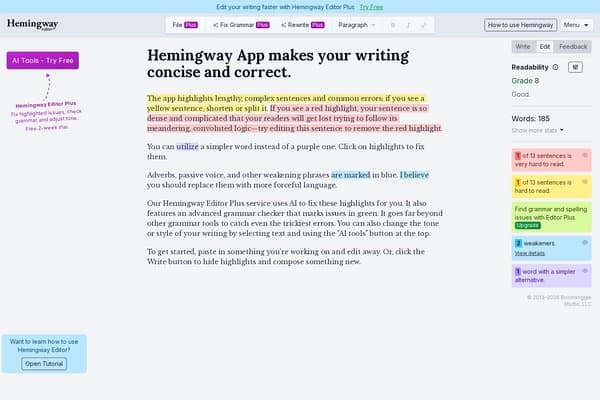
An app that helps writers create clearer, bold, and more concise writing by highlighting troublesome sentences.
Hemingway Editor is an exceptional tool designed for writers seeking to enhance the clarity and conciseness of their writing. Named after the legendary author Ernest Hemingway, known for his straightforward prose, this app invites users to craft bold, impactful content. By highlighting unnecessary complexity with color-coded feedback, it guides writers through the editing process, ensuring that their sentences are not only clear but also engaging. The user-friendly interface allows writers, whether seasoned or budding, to produce work that resonates with their audience.
Hemingway Editor operates on a freemium model. The basic online version is free to use, while the Hemingway Editor Plus desktop app is available for a one-time purchase of $19.99, providing additional features such as offline editing and an advanced grammar checker.
Pros
Cons
Yes, the online version of Hemingway Editor is free, while the Plus version requires a one-time purchase of $19.99.
Hemingway Editor highlights complex sentences, uses color coding to identify issues, and provides suggestions for word replacements to improve clarity.
Yes, the Hemingway Editor Plus desktop version allows for offline access, while the free online version requires internet connectivity.
The Plus version includes an advanced grammar checker that catches various errors, whereas the free version offers limited grammatical support.
Yes, it is particularly useful for academic writing as it helps streamline arguments and highlight convoluted sentences.
Need to organize your AI tool files?
Managing files from Hemingway Editor and other tools? The Drive AI automatically organizes, tags, and retrieves all your files with AI.
Try The Drive AI free