AI Anime Generator
Create original anime art by describing scenes or characters with AI.
AI Image Generation·free
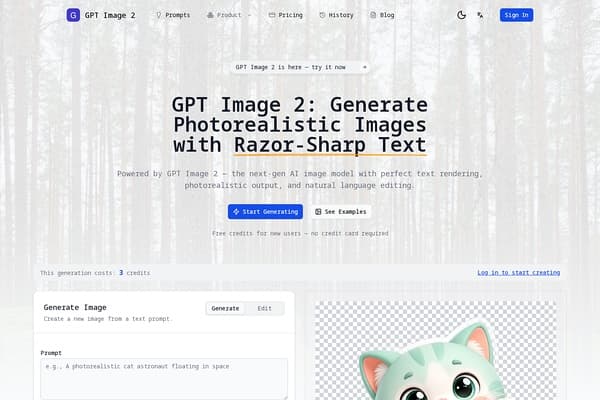
Generate stunning images with AI—easy and efficient!
Imagesv2 Ai stands at the forefront of AI-assisted image generation and editing. The platform allows users to harness the power of artificial intelligence to create visually striking images with minimal effort. Whether you are a professional designer, a social media manager, or someone simply looking to explore their creative side, Imagesv2 Ai is designed to cater to your specific needs. With a user-friendly interface and powerful capabilities, it offers an enjoyable experience from start to finish.
Utilizing advanced algorithms and the latest in AI technology, Imagesv2 Ai provides excellent results for a wide range of visual projects, from crafting marketing graphics to designing intricate artwork. The ability to generate images from text prompts, combined with extensive editing features, opens a world of possibilities for content creation, making it a must-have tool for anyone interested in enhancing their visual storytelling skills.
Free Tier: 100 credits for new users (no credit card required). Paid plans start at 10 credits for basic generation features, with additional credits available for higher quality outputs and advanced editing functions. Edit mode costs an extra 2 credits per image.
Pros
Cons
Generating an image costs between 3 to 30 credits depending on the quality settings chosen.
No, new users receive free credits upon sign-up without needing a credit card.
Yes, you can modify generated images using the inpainting feature or by using image-to-image transformations.
You can export images in PNG, JPEG, WebP, SVG, and PSD formats.
There's no strict limit; however, each generation consumes credits, which can be managed through your account.
Need to organize your AI tool files?
Managing files from Imagesv2 Ai and other tools? The Drive AI automatically organizes, tags, and retrieves all your files with AI.
Try The Drive AI freeCreate original anime art by describing scenes or characters with AI.
Generate photorealistic images from text prompts for marketing and ecommerce.
Create and edit images with AI from text or reference images online.