50% off
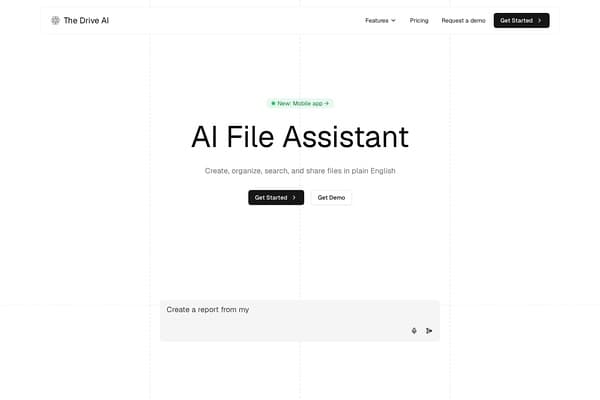
The Drive AI
AI assistant that organizes and manages your team’s files smartly.
AI Productivity·freemium50% off →
Convert images, PDFs, and screenshots into editable Excel with AI OCR.
ImageToExcel is an advanced AI-powered OCR tool designed to transform images, screenshots, and PDF documents into fully editable Excel spreadsheets. Unlike traditional OCR that only extracts text, ImageToExcel intelligently recognizes and preserves the intricate structure of tables including rows, columns, and layout to deliver precise, usable Excel outputs. This ensures minimal manual cleanup, saving significant time for users handling complex data embedded in visual formats.
Supporting multiple popular file types such as JPG, PNG, WEBP, and PDF, ImageToExcel caters to a wide variety of use cases spanning finance, operations, marketing, research, and warehousing. Its AI-driven table extraction technology accurately converts invoices, receipts, bank statements, reports, and inventory lists into clean Excel sheets, enabling businesses to digitize and analyze structured data efficiently. The platform’s intuitive three-step process — upload, AI extraction, and download — simplifies data conversion workflows, making it accessible to professionals with varying technical expertise.
ImageToExcel offers a freemium pricing model. Users can start for free with a limited number of credits to try the AI-powered extraction features. For higher volume and advanced usage, paid plans are available, which unlock additional credits, priority processing, and expanded file size limits. Pricing details and subscription tiers are accessible on their official website, allowing flexibility for individuals, small businesses, and enterprise teams.
Pros
Cons
ImageToExcel supports JPG, PNG, WEBP image files as well as PDF documents for converting them into editable Excel spreadsheets.
Yes, ImageToExcel offers a freemium plan with free credits that allow users to test and convert documents before opting for paid subscriptions.
Yes, the AI-powered OCR technology is designed to detect tables and preserve their structure even from scanned and photographed documents.
Unlike traditional OCR that extracts plain text, ImageToExcel specifically detects tables, rows, and columns to generate structured Excel files with minimal manual cleanup.
ImageToExcel supports extracting tables from multi-page PDF reports, allowing you to download structured Excel sheets of the entire document.
Simply upload your image or PDF file, let the AI OCR process and extract tables and text, then download the resulting editable Excel (.xlsx) file.
ImageToExcel prioritizes user privacy and security, employing encryption and secure protocols to protect your documents during upload and processing.
Need to organize your AI tool files?
Managing files from ImageToExcel and other tools? The Drive AI automatically organizes, tags, and retrieves all your files with AI.
Try The Drive AI freeAI assistant that organizes and manages your team’s files smartly.

Navigate the web effortlessly with GPT-4 powered AI agent GodMode.
Third-party ChatGPT Plus/Pro account top-up service via Alipay/WeChat.