FaceBlur
Blur faces in videos without watermarks or accounts.
AI Video·free
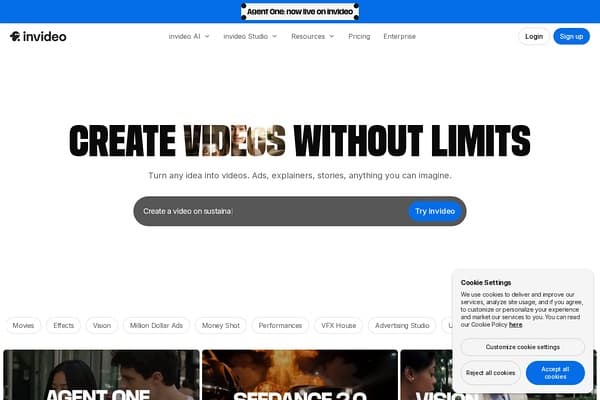
Create high-quality videos for social media and marketing with AI assistance.
InVideo is an innovative AI video platform designed to empower users to create high-quality videos effortlessly. Catering to marketers, small business owners, and content creators, InVideo streamlines the video production process, making it accessible to everyone, regardless of technical expertise. With a plethora of templates and intuitive editing tools, users can transform their ideas into captivating videos for social media, ads, and more, all enhanced by AI assistance for seamless content creation.
Featuring an expansive library of stock images, music, and animations, InVideo ensures that creators have the resources needed to produce stunning visuals that resonate with their audience. The platform's user-friendly interface makes it easy to navigate, allowing users to focus on storytelling without getting bogged down in technical complexities. Whether it’s for product advertisements, educational content, or social media snippets, InVideo equips users with the tools they need to captivate viewers and elevate their brand presence online.
InVideo offers a freemium pricing model, allowing users to start without any cost. Users can access basic features for free. Paid plans are available starting at $15 per month for more advanced features, including premium templates and export options.
Pros
Cons
With InVideo, you can create a variety of videos including promotional ads, tutorials, social media snippets, and more, accommodating many different content needs.
InVideo's AI assistance analyzes your content and provides suggestions on templates, music, and visuals to enhance your video production process.
Yes, InVideo allows you to upload your own images, videos, and audio files to incorporate into your projects.
Currently, InVideo is primarily a web-based platform, but it can be accessed via mobile browsers.
InVideo typically offers a satisfaction guarantee; however, specifics on refunds depend on the terms outlined at the time of subscription.
Need to organize your AI tool files?
Managing files from InVideo and other tools? The Drive AI automatically organizes, tags, and retrieves all your files with AI.
Try The Drive AI free