withaitools
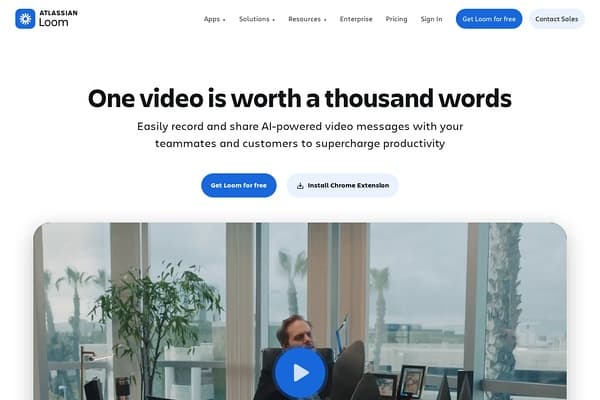
Loom screenshot

Loom

Revolutionize communication with AI-powered video messaging.

1 views this week0 upvotes

About Loom

Loom is a powerful video messaging tool that transcends traditional communication methods, especially for remote teams. Founded to make online communication more effective, Loom enables users to create video messages that can replace lengthy emails and meetings. Its intuitive design ensures that anyone can start recording in seconds, whether sharing project updates or conducting training sessions. The platform is equipped with AI capabilities that enhance the video creation process, making communication not only easier but more efficient. With Loom, organizations can improve collaboration through visual storytelling. Teams can share insights, explain processes, and provide feedback in a more engaging manner, fostering a culture of transparency and creativity. The tool's integration capabilities with popular software like Salesforce, Google, and Slack mean that users can maintain their workflows while enjoying the benefits of video messaging. Loom is endlessly adaptable, making it a preferred choice for various industries, from education to tech startups.

Use Cases

  • Conducting onboarding sessions for new hires through personalized video introductions.
  • Reporting project updates by recording your screen and voice in real-time.
  • Providing feedback on design prototypes using screen recording for clearer communication.
  • Creating tutorial videos for software or internal tools to facilitate staff training.
  • Sharing marketing campaign results with stakeholders by walking through data visualizations.

Key Features

  • Record video messages instantly
  • AI-driven editing and transcription tools
  • Seamless integration with tools like Slack and Google
  • Cross-platform accessibility
  • Easy sharing through links or embeds

Pricing

Loom offers a freemium model with the following plans: 1. **Free Plan**: Unlimited videos, up to 5 minutes per video, basic features. 2. **Pro Plan**: $10 per month (billed annually) or $12 month-to-month. Unlimited video length, custom branding, video editing tools, and advanced analytics. 3. **Business Plan**: $15 per user/month (billed annually), includes all Pro features plus additional team management tools, custom permissions, and integrations. 4. **Enterprise Plan**: Custom pricing, tailored solutions with dedicated support and additional security features.

Pros & Cons

Pros

  • + User-friendly interface makes recording quick and easy.
  • + AI enhancements streamline video editing and accessibility.
  • + Flexible sharing options promote collaboration.
  • + Integration with popular apps like Google Drive and Slack enhances workflow.
  • + Affordable pricing compared to other video messaging tools.

Cons

  • - Free plan has a 5-minute limit on video length.
  • - Advanced features require upgrading to paid plans.
  • - AI-built features may not always meet sophisticated editing needs.
  • - Limited editing tools compared to dedicated video editing software.

Frequently Asked Questions

What is Loom used for?

Loom is primarily used for creating and sharing video messages, enabling more effective communication through visual storytelling.

Can I record longer videos with Loom?

Yes, but longer recordings require a paid subscription. The free version limits videos to 5 minutes.

Is Loom compatible with mobile devices?

Yes, Loom is accessible via browsers and mobile applications for both iOS and Android.

Does Loom offer team collaboration features?

Absolutely, Loom includes features designed for team collaboration, allowing users to comment on videos and manage user permissions.

What integrations does Loom support?

Loom integrates with various platforms including Slack, Google Suite, and Jira, enhancing its usability for different workflows.

Tags

video-messagingteam-collaborationscreen-recorderai-toolsremote-work
Details
PricingFreemium
CategoryAI Video
WebsiteVisit
AddedMay 8, 2026
UpdatedMay 8, 2026

Is this your tool?

Claim this listing to manage your tool's info, add discount codes, and get a verified badge.

Claim this tool

Reviews

Rating:

Similar AI Video Tools

People also search for