50% off
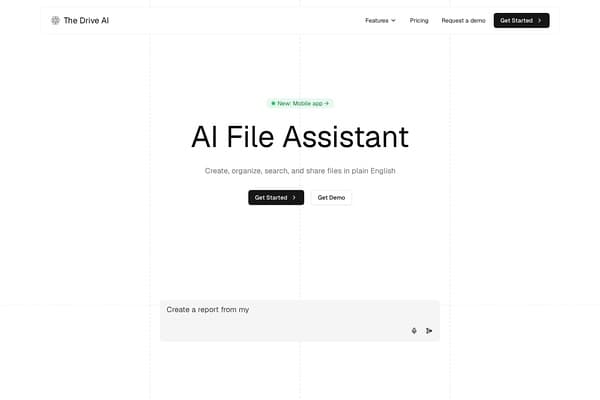
The Drive AI
AI assistant that organizes and manages your team’s files smartly.
AI Productivity·freemium50% off →
AI tool to erase handwriting from images, PDFs, and scanned documents
Remove Handwriting is an advanced AI-powered tool designed to efficiently erase handwritten text, notes, and annotations from images, PDFs, and scanned documents while preserving the original printed content's integrity and aesthetics. It supports popular file formats such as JPG, PNG, and PDF and offers specialized processing modes for single images, bulk uploads, and multi-page PDFs with options for page selection and layout preservation. Unlike basic editing tools, Remove Handwriting leverages artificial intelligence to detect handwriting seamlessly, restoring the document to a clean state without compromising the underlying printed text, tables, or diagrams.
The tool also includes intelligent features such as correction of skewed or warped scanned pages, automatic cropping, and the ability to retain original colors and paper tones, ensuring the final output looks natural and professional. For more complex cases where AI processing alone cannot achieve perfect results, users can request expert manual retouching to finalize the cleanup. With accessibility across web, iOS, and Android platforms under a single account, Remove Handwriting provides a versatile and convenient solution for educators, archivists, business professionals, and anyone needing to digitally restore documents quickly and accurately.
Whether cleaning exam sheets, archival materials, contracts, or business documents, Remove Handwriting enables users to remove unwanted handwriting effectively without affecting printed text, layout, or image quality, streamlining document management and preparation workflows in various domains.
Remove Handwriting operates on a freemium pricing model. Users can try the basic handwriting removal features for free, processing standard images and documents without any credit card requirement. Advanced features like selective handwriting area removal, ultra deep repair modes, batch processing, and expert manual retouching require paid credits or plans. Specific plans and credit packages are detailed on the official website, offering scalable options for casual users to professional organizations needing higher volumes and more customization. Pricing varies based on credits purchased, with typical costs accelerating with advanced processing needs or manual retouching services. Free-tier users have access to core AI removal functions suitable for light or individual use.
Pros
Cons
Remove Handwriting supports JPG, PNG, JPEG images, as well as PDF files—including multi-page PDFs with options for page selection and layout preservation.
Yes, the tool offers a selective handwriting removal feature where you can box the handwriting area you want erased while leaving other parts intact.
Remove Handwriting provides a freemium model with free access to basic handwriting removal. Advanced features and manual retouching require purchasing credits or plans.
No. The AI carefully removes handwriting while preserving the original printed text, tables, diagrams, and colors to maintain the document's professional appearance.
Yes, you can access Remove Handwriting through its web platform as well as dedicated iOS and Android apps using a single account.
If the AI cannot fully remove handwriting or repair the image, you can submit the document for expert manual retouching to achieve a cleaner result.
Yes, it offers automatic correction features to straighten tilted pages, flatten warped areas, and crop scanned document edges cleanly.
Need to organize your AI tool files?
Managing files from Remove Handwriting and other tools? The Drive AI automatically organizes, tags, and retrieves all your files with AI.
Try The Drive AI freeAI assistant that organizes and manages your team’s files smartly.
Private Android manga and doujinshi cloud shelf with multi-source catalogs
Independent IPA library for iPhone and iPad app downloads