Jev
Fast, cheap decision-making AI model optimized for developers.
AI Developer Tools·freemium
Visual coding tool for real-time UI editing.
Retune is an innovative desktop tool designed to revolutionize the coding experience for developers and designers alike. By merging visual design and code, Retune enables users to select and tweak web page elements directly within the browser. Gone are the days of manually coding changes through complex prompts; instead, users can adjust colors, typography, and layout visually in real-time. Retune connects seamlessly with powerful AI agents like Claude Code or Cursor, which accurately generate the corresponding code changes based on the user's adjustments. The platform is tailored not just for usability but also for efficiency, offering instant previews of modifications while allowing complete control over the final coding output, making it a game-changer in developer workflows.
Retune enhances compatibility with leading frameworks like Next.js, Vite, and Remix while also supporting styling approaches such as Tailwind CSS and CSS Modules. This flexibility ensures that developers can integrate Retune into their existing workflows without a steep learning curve. The structured data output it provides further assists AI agents in making precise changes to the source code, thus empowering developers to focus on creativity while minimizing the hassle associated with traditional coding. Whether you're fine-tuning a button's padding or adjusting a layout's overall composition, Retune streamlines the coding process and elevates the development experience effortlessly.
Retune is completely free for individuals, making it accessible for developers and designers looking to enhance their workflows without financial barriers. There are no premium tiers or subscription fees involved.
Pros
Cons
No, Retune sends structured diffs of your visual changes to your AI coding tool, which makes the actual code changes. You always review and approve before anything is committed.
Yes, you can preview changes live in the browser. If no AI tool is connected, you can copy the structured diff and paste it into your coding environment.
It combines CSS selectors, React component hierarchy, and class names to ensure the AI agent can locate the exact element for modifications without needing a build plugin.
Retune is compatible with Next.js, Vite, and Remix. It also supports Tailwind CSS, CSS Modules, and traditional CSS styling methods.
By allowing designers and developers to make immediate visual changes that translate into structured code updates, Retune helps maintain alignment across multiple projects.
Need to organize your AI tool files?
Managing files from Retune and other tools? The Drive AI automatically organizes, tags, and retrieves all your files with AI.
Try The Drive AI freeFast, cheap decision-making AI model optimized for developers.
Typed AI model delivering precise decision outputs for application branching.
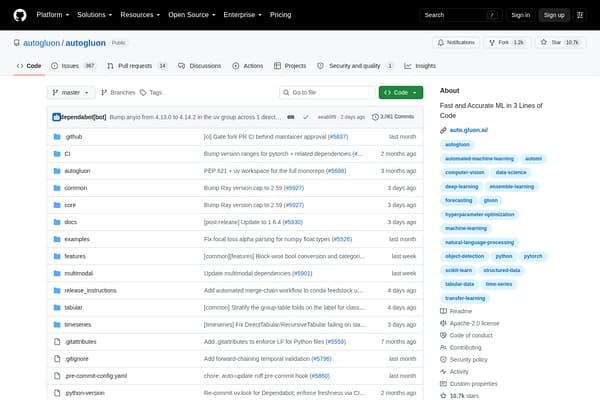
Rapid, high-accuracy ML with just three lines of code.