Kling 4.0
AI video generator transforming text prompts into native 4K professional videos
AI Video·free
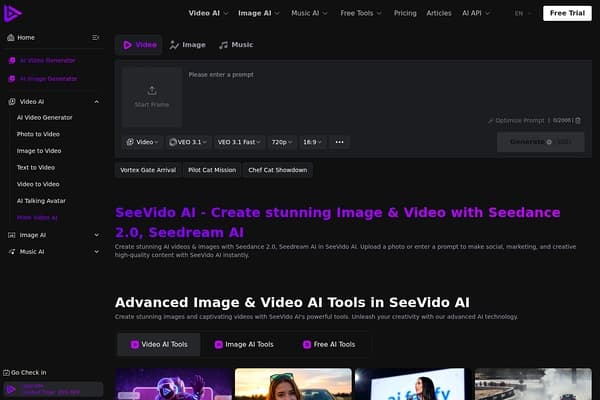
Create cinematic videos from text, images, and audio effortlessly!
See Video AI is an advanced video creation platform that leverages the capabilities of artificial intelligence to streamline the video production process. Designed for content creators, marketers, and educators, the platform allows users to transform various inputs—text, images, and audio—into high-quality cinematic videos. With the latest Seedance 2.0 AI technology, See Video AI delivers seamless video creation that's fast and efficient.
This platform not only simplifies the video-making process but also ensures that the videos produced are visually compelling, enabling users to tell their stories more effectively. Whether it's for a marketing campaign, educational content, or personal projects, See Video AI provides the tools needed to engage audiences and enhance communication through dynamic visual media.
See Video AI offers a freemium model where users can start for free. Paid plans include:
Pros
Cons
You can use text, images, and audio files to create videos, allowing for versatile content creation.
Yes, See Video AI operates on a freemium model where users can create videos for free with limited features.
Yes, you can easily upgrade your plan at any time to access more features and higher-quality outputs.
The free version may limit video length and formats available for export.
Yes, See Video AI offers customer support with priority response options for paid plans.
Need to organize your AI tool files?
Managing files from See Video AI and other tools? The Drive AI automatically organizes, tags, and retrieves all your files with AI.
Try The Drive AI freeAI video generator transforming text prompts into native 4K professional videos
Free AI tool to create videos from images with prompts online.
All-in-one AI platform for creating videos, images, characters, and audio.