50% off
The Drive AI
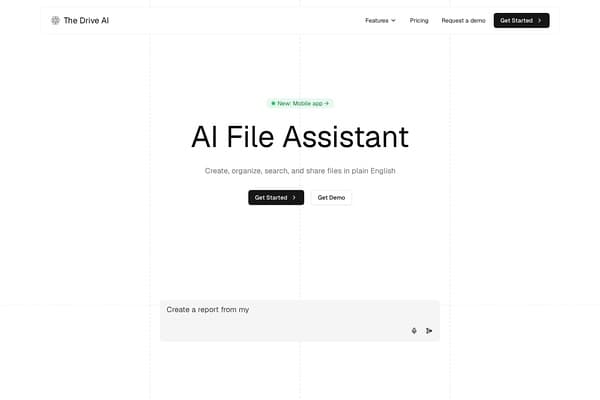
AI assistant that organizes and queries your files via natural language.
AI Productivity·freemium50% off →
AI-powered OCR and summarization for images, documents, slides, and videos
SummaryGenius is a cutting-edge AI productivity tool that integrates high-precision Optical Character Recognition (OCR) with advanced multimodal AI to extract and summarize text from diverse visual sources such as images, PDFs, PowerPoint presentations, and YouTube videos. It excels at transforming complex documents, handwritten notes, infographics, and lengthy multimedia content into easy-to-understand summaries like bullet points, executive synopses, and study notes. The platform supports over 11 languages and offers automatic translation, making it versatile for a global user base.
With a user-friendly interface and interactive features, SummaryGenius not only delivers accurate, structured outputs within seconds but also allows users to engage in follow-up Q&A sessions to deepen their understanding of content. By consolidating capabilities that typically require multiple specialized SaaS tools, SummaryGenius enhances productivity for students, researchers, executives, and content creators while ensuring data privacy through local browser caching of processed summaries.
SummaryGenius operates on a freemium model where all users receive 5 free credits daily to process content. Paid subscription plans start at $8.90 per month, offering additional credits and enhanced features. Additionally, users can purchase one-time credit packs, valid for 30 days after purchase, providing flexible options for occasional heavy users. Pricing details and plan comparisons are accessible on their official website under the pricing section.
Pros
Cons
SummaryGenius combines advanced OCR technology with multimodal AI analysis to accurately recognize text from images, including complex layouts, handwritten notes, and charts. It then distills the recognized text into clear summaries or bullet points automatically.
You can summarize multiple content types such as single or multi-image photos, scanned PDFs, PowerPoint presentations, and even YouTube video transcripts, making it a versatile solution for various work and study materials.
Yes, SummaryGenius supports over 11 languages with automatic translation capabilities, allowing users to upload documents or images in different languages and receive high-quality summaries in their preferred language.
Absolutely. The tool features an interactive chat function that lets users ask follow-up questions about the summarized content to uncover more details or clarify information instantly.
SummaryGenius secures user data by storing processed summaries locally in your browser using IndexedDB, ensuring that your documents and notes are not shared or uploaded to external servers, preserving confidentiality.
The free plan provides 5 credits per day, which limits the number of documents or images you can process daily. To handle more content or access advanced features, upgrading to a paid plan is recommended.
Need to organize your AI tool files?
Managing files from SummaryGenius and other tools? The Drive AI automatically organizes, tags, and retrieves all your files with AI.
Try The Drive AI freeAI assistant that organizes and queries your files via natural language.
Discover and compare AI tools for creative and automation tasks.
Extensive AI prompt library for varied creative and professional tasks.