Gangnam Style AI Video Generator
Create a 19-second AI video from three photos mimicking the Gangnam Style trend.
AI Video·free
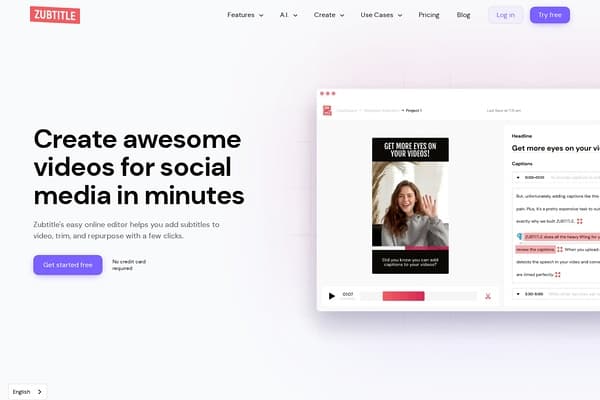
Add captions to your videos automatically using AI to improve visibility and engagement.
Zubtitle is an AI-powered video editing platform designed to effortlessly transform talking-head videos into engaging social media posts. The tool automates the addition of captions and subtitles with impressive accuracy, helping creators and businesses boost video visibility and viewer engagement across multiple platforms. Beyond simple captioning, Zubtitle offers a suite of features including branded style templates, animated captions, video resizing and cropping, headline insertion, and watermarking—all aimed at simplifying the video editing process without requiring specialized skills.
By focusing on quick, professional-quality social video production, Zubtitle streamlines content repurposing for platforms like Instagram, TikTok, Facebook, and YouTube. It further leverages AI to generate video titles, descriptions, hashtags, and timestamps, making it a comprehensive one-stop solution for video marketers, agencies, and creators seeking to maximize their social media presence with minimal effort.
Zubtitle operates under a freemium pricing model. The Free Trial plan allows new users to upload one video with access to all video editing features, requiring no credit card. Beyond this, paid plans offer increased video credit allowances and advanced features. While detailed pricing tiers are not explicitly listed, users can scale their subscription based on the volume of videos and branding needs, with the option to cancel or change plans at any time through their account dashboard. This flexible approach ensures both casual users and professional teams can find a suitable package.
Pros
Cons
Yes, Zubtitle allows you full control over your account, so you can cancel or adjust your subscription plan whenever you want without any penalties.
Absolutely. Zubtitle is designed to be mobile-friendly and works smoothly on both iOS and Android platforms for on-the-go video editing.
Yes, Zubtitle offers a free trial that includes 1 video upload and access to all editing features with no credit card required.
Zubtitle uses advanced AI to provide highly accurate automatic captions, though some manual proofreading is recommended to correct any transcription errors.
Yes, you can upload your logo, customize fonts and colors, and save brand style templates to ensure every video aligns with your brand identity.
Yes, it allows you to crop, resize, and reformat videos to fit popular platform specifications such as Instagram Stories, TikTok, Facebook, YouTube, and more.
Yes, while Zubtitle automatically generates video titles, hashtags, and descriptions, users can easily review and modify these to best suit their content strategy.
Need to organize your AI tool files?
Managing files from Zubtitle and other tools? The Drive AI automatically organizes, tags, and retrieves all your files with AI.
Try The Drive AI freeCreate a 19-second AI video from three photos mimicking the Gangnam Style trend.
Creates 15-second AI-generated zombie-themed videos from photos.
Create AI videos of yourself or pets in the 'Get a Job' meme.