50% off
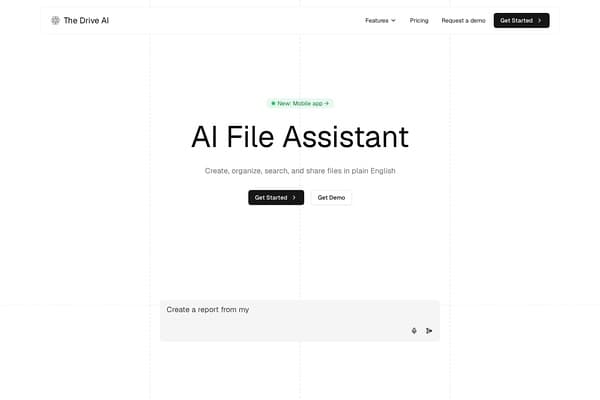
The Drive AI
AI assistant that organizes and manages your team’s files smartly.
AI Productivity·freemium50% off →
A local-first personal knowledge base for documents and media.
DoCube is a local-first personal knowledge base application tailored to users who need a centralized, secure, and versatile environment for managing a wide range of materials — from PDFs and ebooks to webpages, notes, and videos. Designed primarily for macOS, iPhone, and iPad, it enables users to collect, organize, annotate, and search their content efficiently while keeping all data localized on their own devices, with optional iCloud sync for convenience. This local-first approach ensures your personal knowledge and research remain private and accessible even offline.
With support for multiple annotation types, precise linking to specific document sections or video timestamps, and on-device OCR for scanned PDFs, DoCube empowers deep engagement with content. Additionally, its powerful keyword and semantic search capabilities allow users to find insights across all stored sources and annotations quickly. The inclusion of translation features further broadens its utility by enabling instant understanding of foreign-language documents, complete with side-by-side bilingual views and export options. The app's one-time purchase pricing model adds to its appeal by removing subscription concerns, making it a great choice for researchers, students, professionals, and avid readers looking for a robust, privacy-respecting knowledge management tool.
DoCube is offered as a one-time purchase without recurring subscription fees. It is a paid application available primarily on the Apple App Store, covering macOS, iPhone, and iPad platforms. Specific pricing may vary by region; users can download the app and purchase a license directly to unlock its full features. There are no tiered pricing plans or feature limitations behind additional paywalls, aligning with its philosophy of providing a comprehensive tool with a single payment.
Pros
Cons
No, DoCube is currently designed exclusively for Apple's ecosystem, supporting macOS, iPhone, and iPad. There is no Windows or Android version available at this time.
Yes, DoCube supports optional iCloud sync that allows seamless synchronization of your personal knowledge base across your Mac, iPhone, and iPad while keeping data encrypted and stored locally.
Yes, DoCube includes on-device OCR capabilities that convert scanned PDFs into searchable and annotatable documents without requiring an internet connection.
No, DoCube uses a one-time purchase pricing model with no recurring subscription fees, giving you full access to all features with a single license purchase.
Absolutely. DoCube offers instant translation of selected passages and full-text translations for supported formats, providing side-by-side bilingual views and export options for your translated editions.
DoCube features both keyword and semantic search that work not only across the text content of PDFs, EPUBs, webpages, notes, and video subtitles but also includes your annotations and flashcards, enabling comprehensive retrieval of your research material.
Yes, DoCube supports exporting content in multiple formats such as Markdown, webpage snapshots, EPUBs, and formatted PDFs, allowing you to take your work to other platforms or share it externally.
Need to organize your AI tool files?
Managing files from DoCube and other tools? The Drive AI automatically organizes, tags, and retrieves all your files with AI.
Try The Drive AI freeAI assistant that organizes and manages your team’s files smartly.
Free printable calendars with US holidays, no sign-up, no watermark.
Unified conversation space for text, images, music, and video