50% off
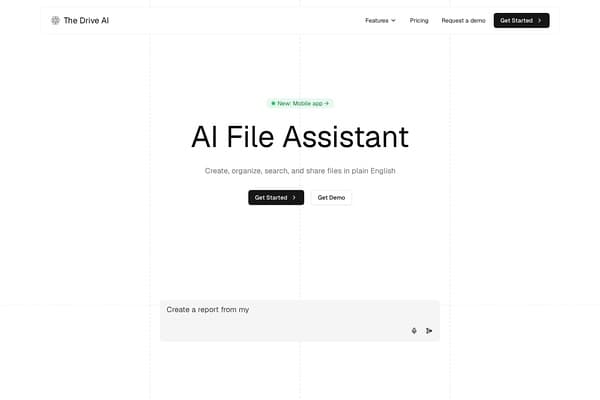
The Drive AI
AI assistant for smart, content-focused file organization and management.
AI Productivity·freemium50% off →
Convert HEIC photos to JPG, PNG, WebP, or PDF locally in browser
HEIC.AI is a robust, browser-based AI file management tool designed specifically for converting HEIC and other common image formats such as HEIF, JPG, JPEG, PNG, and WebP into widely-used formats like JPG, PNG, WebP, or PDF. Unlike many online converters, HEIC.AI processes all images locally on the user's device, meaning no files are ever uploaded to external servers. This approach ensures enhanced privacy and security, while also enabling rapid batch conversions of up to 200 files, each as large as 50MB. Users can adjust output quality, resize dimensions, and even target specific file sizes, making it a flexible choice for managing and sharing images efficiently.
The tool caters to various needs by removing location and camera metadata from the images, safeguarding privacy during sharing. Whether you're optimizing images for web use, preparing photos for professional editing, or compiling them into printable PDFs, HEIC.AI’s tailored conversion options and metadata controls provide fine-tuned results without any watermark or the need for user accounts. Its intuitive drag-and-drop interface and advanced settings make complex image conversions straightforward and accessible to all levels of users.
HEIC.AI is completely free to use with no paid plans. Users can convert images directly in their browser with no limitations beyond the maximum batch size of 200 files and 50MB per file. All features including batch conversion, output quality adjustment, dimension resizing, metadata stripping, and multiple output formats (JPG, PNG, WebP, PDF) are accessible at no cost. There are no ads, watermarks, or mandatory sign-ups, making it an accessible solution for both casual and professional use without any subscription fees.
Pros
Cons
Yes, HEIC.AI processes all images locally within your browser, so your photos never leave your device. This ensures your private images and metadata remain secure and are not uploaded to any servers.
No, HEIC.AI is free to use with no sign-up required. You can start converting images immediately by opening the website and uploading your files.
HEIC.AI supports input formats including HEIC, HEIF, JPG, JPEG, PNG, and WebP. You can convert these to JPG, PNG, WebP, or PDF output files.
Yes, HEIC.AI supports batch conversion with up to 200 files per batch, each up to 50MB in size, allowing efficient processing of large numbers of images.
No, HEIC.AI does not add any watermarks to converted images. You can adjust quality settings to balance detail retention and file size according to your needs.
Yes, the converter automatically strips EXIF metadata such as location and camera details to ensure privacy when sharing files.
Absolutely, HEIC.AI allows you to set maximum dimensions and target file sizes, so you have control over the output image size and quality.
Need to organize your AI tool files?
Managing files from HEIC.AI and other tools? The Drive AI automatically organizes, tags, and retrieves all your files with AI.
Try The Drive AI freeAI assistant for smart, content-focused file organization and management.
Chat with your PDF documents using AI.
AI tool to erase handwriting from images, PDFs, and scanned documents