50% off
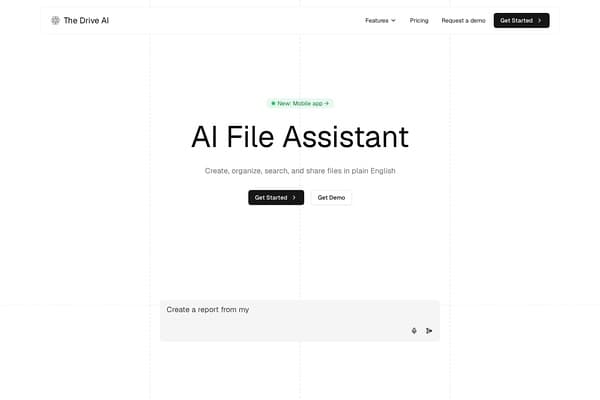
The Drive AI
AI assistant that organizes and queries your files via natural language.
AI Productivity·freemium50% off →
AI tool converting text, PDF, YouTube into editable mind maps.
MindLM is a cutting-edge AI mind map generator designed to transform diverse content formats—ranging from plain text, PDFs, and web pages to YouTube videos and eBooks—into organized, interactive mind maps. Unlike conventional summarization tools that flatten content, MindLM preserves the hierarchical structure of the original material, representing main topics as branches and subtopics as nodes. This approach offers users a clearer understanding of the content's framework, enabling efficient browsing and knowledge retention.
The platform boasts an intuitive interface that requires no sign-up to begin mapping with free quotas, offering accessibility and ease of use. Users can quickly generate mind maps within minutes, edit nodes by renaming or folding branches to simplify views, and export their maps into multiple formats including PNG, Markdown, and XMind. This flexibility allows seamless integration with popular note-taking and knowledge management applications such as Obsidian, Notion, or XMind itself.
With support for various input types—like PDFs up to 4 MB, YouTube videos up to 20 minutes, podcasts, and Twitter threads in its Pro tier—MindLM helps users digest lengthy, complex materials visually. Its ability to maintain the original content’s logical order makes it invaluable for students, researchers, professionals, and anyone looking to efficiently review, study, or reference large bodies of information.
MindLM offers a freemium pricing model. Without an account, users receive 3 free tries for text, webpage URLs, or files up to 4 MB (PDFs up to 20 pages, reading the first 5,000 characters). Additionally, users get 1 lifetime free YouTube video conversion for videos up to 20 minutes, which does not consume the 3 free tries. By signing up for a free account, users get 10 credits plus 1 credit per day with no credit card required, allowing more frequent use including uploading larger files and eBooks.
The Pro plan unlocks advanced features such as unlimited YouTube video conversions, podcast and audio uploads, Twitter thread conversions, and exports in SVG format. Pricing details for Pro plans are available on the website and cater to users needing extensive and heavy usage. All plans provide export options to PNG, Markdown, and XMind formats, ensuring easy integration into external tools.
Pros
Cons
MindLM uses AI to analyze and preserve the structure of various content formats such as text, PDFs, web pages, and YouTube video transcripts. It organizes main topics as branches and related subpoints as nodes, producing an interactive visual map that mirrors the source's original hierarchy.
No, MindLM offers 3 free trials without sign-up, letting users paste text or links and produce mind maps immediately. Creating a free account grants additional credits and access to features like uploading eBooks and larger files.
You can export your mind maps as PNG images, Markdown text files, or XMind files to easily integrate with various note-taking and knowledge management applications. Pro users can also export in SVG format.
MindLM allows PDF uploads up to 4 MB and up to 20 pages in length for users without an account. Registered users and higher plans may support larger documents.
Yes, MindLM can convert YouTube videos up to 20 minutes long into mind maps and supports podcast and audio file conversions under its Pro subscription to generate structured summaries.
All user data is encrypted at rest, and MindLM does not use your content to train AI models. Users have the option to export or delete their data anytime to maintain privacy and control.
Yes, MindLM allows you to rename nodes, fold or collapse branches, and rearrange the mind map to suit your preferences, enabling a customized and efficient review experience.
Need to organize your AI tool files?
Managing files from MindLM and other tools? The Drive AI automatically organizes, tags, and retrieves all your files with AI.
Try The Drive AI freeAI assistant that organizes and queries your files via natural language.
Convert documents to clean Markdown locally in your browser for free.
Discover and compare AI tools for creative and automation tasks.