50% off
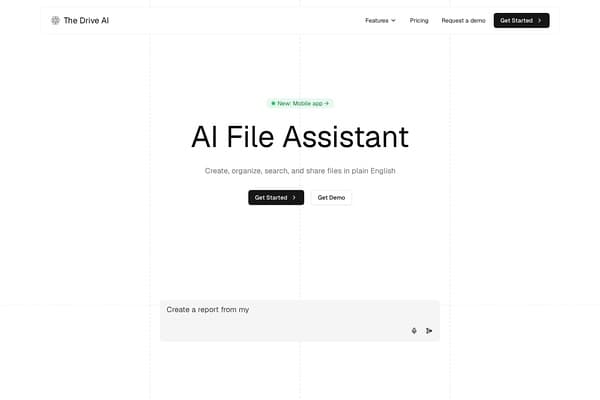
The Drive AI
AI assistant that organizes and queries your files via natural language.
AI Productivity·freemium50% off →
Browser-based PDF editor to edit text, images, pages, and signatures.
Pdfable is a powerful, browser-based PDF editor designed to simplify the way users interact with PDF documents. Offering a free and easy-to-use platform, it allows direct editing of PDF text with natural text reflow, enabling you to click into any paragraph and change words, font styles, colors, and alignment seamlessly. Unlike many PDF tools that only overlay text, Pdfable edits the existing content fluidly, preserving your document's original formatting and structure.
Beyond text editing, Pdfable supports a rich suite of annotation and modification features, including adding text boxes, images, highlights, shapes, and stamps. It also enables users to insert typed or hand-drawn signatures effortlessly. Advanced functionalities like rotating, reordering, or deleting pages, permanent redaction of sensitive information, OCR for scanned documents, and unlocking password-protected PDFs with valid credentials make Pdfable an all-encompassing PDF management tool. Its full client-side operation guarantees the security and privacy of your files by keeping everything within your browser without uploading documents to external servers.
Pdfable operates on a freemium model offering a fully functional free plan that provides 1 free edit and export per day with a 10MB file size limit. For users requiring more frequent editing or larger files, paid subscription plans are available starting at $9.99 for add-on edit packs, a monthly subscription priced at $19.99, or an annual subscription for $99.99. Paid plans raise the file size limit up to 500MB and remove daily usage caps, facilitating professional and heavy users to work without constraints. The free tier includes most core editing features, making it a practical solution for casual users or light workloads.
Pros
Cons
Yes, Pdfable allows you to directly edit existing PDF text with natural paragraph reflow, so you don't need to convert the PDF to Word or other formats.
Since Pdfable runs entirely in your browser without uploading files to servers, your documents remain on your device, enhancing security and privacy.
Yes, Pdfable includes OCR technology that converts scanned pages into editable text, allowing you to modify scanned documents easily.
No installation is required. Pdfable is a fully browser-based application that works across different operating systems.
The free plan supports files up to 10MB with 1 edit/export per day. Paid plans increase the limit to 500MB with higher usage allowances.
Yes, if you know the password, Pdfable lets you unlock and edit password-protected PDFs directly in the browser.
After editing, you can export your updated PDF using the export button or the shortcut Ctrl+S (Cmd+S on Mac), downloading a new file without altering your original.
Need to organize your AI tool files?
Managing files from Pdfable and other tools? The Drive AI automatically organizes, tags, and retrieves all your files with AI.
Try The Drive AI free