50% off
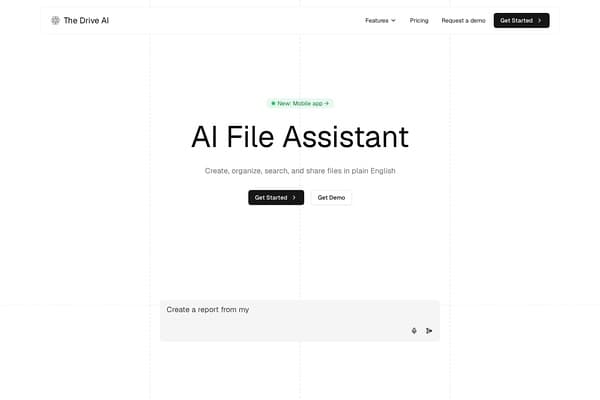
The Drive AI
AI assistant that organizes and manages your team’s files smartly.
AI Productivity·freemium50% off →
Convert PDFs, images, handwriting, and Word to clean, compiled LaTeX source.
styleLatex LaTeX Converter is a sophisticated online AI-powered productivity tool tailored for academics, researchers, students, and professionals who work extensively with technical documents. It specializes in converting diverse inputs—such as PDFs, images, handwriting, screenshots, and Word documents—into clean, error-free LaTeX code. Unlike typical converters, styleLatex ensures all complex elements like mathematical equations, tables, figures, and formatting are precisely preserved and correctly positioned, allowing users to use the output immediately without additional debugging or manual corrections.
The tool compiles every page using XeLaTeX before delivering results, automatically repairing any errors found during compilation. This proactive approach to error handling makes it stand out, guaranteeing that the LaTeX code provided is production-ready. Moreover, styleLatex supports two-way conversions: users can also convert LaTeX documents back into editable Word, HTML, Markdown, Typst formats, or even PNG images. An intuitive online editor with real-time PDF preview enables seamless code modification before export, streamlining workflows for documents requiring precision and quick turnaround.
styleLatex LaTeX Converter offers a freemium pricing model. New users can convert the first 5 pages of documents at no cost. Beyond the free quota, conversion operates on a credit-based system where one credit is consumed for each additional page converted. Specific credit pack prices and subscription tiers are detailed on styleLatex's official website and provide flexibility depending on user volume. Additional tools like Excel to LaTeX and the Markdown, HTML, and Typst converters are available for free without a login requirement, supporting a broad array of user needs without upfront payment.
Pros
Cons
Yes, styleLatex supports conversion from handwritten notes, provided they are clear photos or scans taken in good lighting. The tool reads the handwriting and translates it into editable LaTeX code with formatting intact.
Absolutely. Each converted page is compiled using XeLaTeX automatically, and any errors are repaired before the output is presented to you, ensuring the LaTeX source is ready to use immediately.
Yes. You can upload your LaTeX source to styleLatex's LaTeX to Word converter, which will output an editable DOCX file with equations preserved as native Word objects.
You get 5 pages converted for free upon signing up. After that, each page conversion consumes one credit. Credits can be purchased in packs based on your usage needs.
Yes, styleLatex extracts diagrams, plots, and photos from the source pages and bundles them separately in a ZIP file alongside your .tex file, maintaining their original placement.
The tool includes an online editor with a synchronized real-time PDF preview, allowing you to review and adjust the LaTeX code interactively before export.
Need to organize your AI tool files?
Managing files from styleLatex LaTeX Converter and other tools? The Drive AI automatically organizes, tags, and retrieves all your files with AI.
Try The Drive AI freeAI assistant that organizes and manages your team’s files smartly.
A local-first personal knowledge base for documents and media.
Free printable calendars with US holidays, no sign-up, no watermark.