
50% off
The Drive AI
AI assistant that organizes and manages your team’s files smartly.
AI Productivity·freemium50% off →
Transform meetings into completed work with AI-powered clarity.
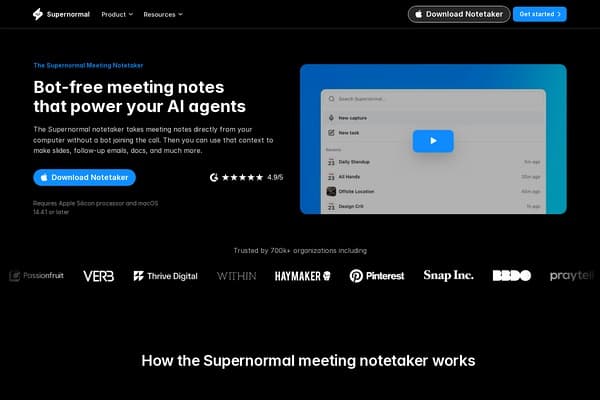
Supernormal is revolutionizing the way we handle meeting notes with its advanced AI-driven notetaker. Designed for professionals, Supernormal simplifies the meeting process by capturing important information without needing a bot to join the conversation. This ensures that meetings remain focused and uninterrupted while still gathering critical data for later use.
With Supernormal, users can effortlessly create organized summaries, follow-ups, and presentations from meeting discussions. This tool is trusted by over 700,000 organizations, including high-profile companies like Pinterest and Snap, making it a staple for teams looking to maximize efficiency. Whether you're a remote worker or part of a traditional office, Supernormal helps convert insights from chats into tangible outcomes, enhancing overall productivity and communication within teams.
Free Plan: Basic note-taking features with limited storage. Pro Plan: $12/month with advanced features like document generation and integrations. Enterprise Plan: Custom pricing for large teams including dedicated support and tailored solutions.
Pros
Cons
Supernormal is compatible with macOS and Windows 11, requiring a modern processor.
Currently, Supernormal is available as a desktop application only, with no mobile version released yet.
Supernormal employs robust security measures to ensure your data is encrypted and safe.
Yes, Supernormal captures audio from virtual meetings flawlessly without needing a bot.
Yes, it offers support for various languages, enhancing accessibility for diverse teams.
Need to organize your AI tool files?
Managing files from Supernormal App and other tools? The Drive AI automatically organizes, tags, and retrieves all your files with AI.
Try The Drive AI freeAI assistant that organizes and manages your team’s files smartly.
A local-first personal knowledge base for documents and media.
Free printable calendars with US holidays, no sign-up, no watermark.