50% off
The Drive AI
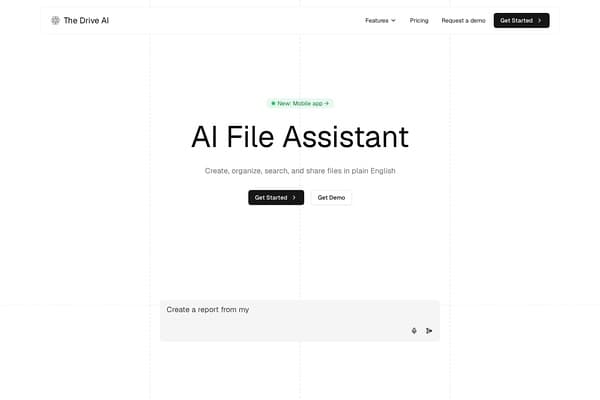
AI assistant that organizes and queries your files via natural language.
AI Productivity·freemium50% off →
Mac panel with apps, voice dictation, AI assistant at screen edge.
Tack+ is a cutting-edge productivity application designed exclusively for macOS 14 and later. It features a sleek, customizable edge panel that neatly organizes fifteen essential apps and nine versatile widgets, including favorites like Music, Messages, Calendar, Mail, Safari, and Reminders. With a simple gesture or cursor push against the screen's edge, users gain swift, intuitive access to their most-used tools, enhancing workflow efficiency and desktop organization.
Uniquely, Tack+ incorporates advanced privacy-conscious features such as on-device voice dictation supporting nine languages, ensuring your speech data never leaves your Mac. The offline AI assistant, powered by the local Qwen3.5 4B model, automates a wide range of tasks — from tidying files and managing calendar events to sending messages and adjusting system settings — all while previewing every action for user confirmation. Additional tools like the eyedropper, timer, notepad, and a unified search bar across clipboard, messages, calendar, and reminders complete a productivity suite tailored for the proactive Mac user.
Tack+ offers a straightforward pricing model with a 3-day free trial to allow users to experience all features without commitment. Post-trial, the subscription costs $4.99 USD per month. There is no credit card required to start the trial, making it easy to try risk-free. This subscription unlocks all functionalities, including the offline AI assistant, voice dictation, and full access to the edge panel and integrated tools.
Pros
Cons
Tack+ requires macOS 14 or later to function, so it is not compatible with earlier macOS versions.
No, Tack+'s voice dictation runs entirely on your Mac and does not transmit any audio or data off the device, protecting your privacy.
Yes, Tack+ offers customization options for the edge panel, letting you choose from the fifteen integrated apps and nine widgets based on your preferences.
The AI assistant previews each action and requires your approval before execution, ensuring no changes are made without your consent.
Tack+ offers a 3-day free trial with full access; after that, it requires a monthly subscription of $4.99 to continue using all features.
The current information does not specify multi-device licensing, so it is best to consult Tack+'s official support or terms for multi-Mac usage details.
The unified search allows you to search across your clipboard history, messages, calendar, reminders, and stash from a single search bar, streamlining information retrieval.
Need to organize your AI tool files?
Managing files from Tack+ and other tools? The Drive AI automatically organizes, tags, and retrieves all your files with AI.
Try The Drive AI freeAI assistant that organizes and queries your files via natural language.
Create live Mac menu bar widgets from plain English wishes without coding.
Directory of free AI tools for various tasks and categories