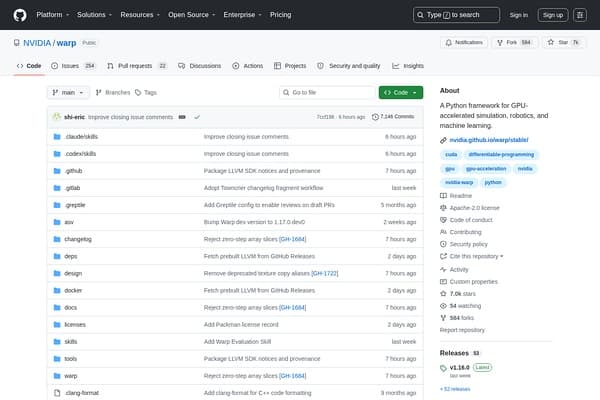
warp
Accelerate simulations & ML with Warp's powerful GPU framework.
AI Developer Tools·free
Learning to code can feel overwhelming for beginners: debugging cryptic errors, remembering syntax, and managing multiple files and projects. Many new programmers wish for a guide that can help them write better code, spot mistakes, and organize their work efficiently. AI coding tools are changing the game—making programming more accessible, less frustrating, and much more efficient for those just starting out.
Explore the full directory of AI coding tools on withaitools.com and find the perfect assistants to accelerate your growth as a beginner developer.
Starting your journey in programming brings a unique set of challenges. Many beginners struggle with understanding complex code structures, fixing errors that seem indecipherable, and keeping track of their work as projects grow. While traditional learning resources—like tutorials and forums—are helpful, they often leave new coders feeling lost when faced with real-world problems.
AI coding tools are designed to bridge these gaps. Instead of poring over documentation or waiting for help on online forums, beginners can now get real-time code suggestions, instant feedback, and even natural language explanations of their code. These tools can point out inefficiencies, help organize projects, and automate repetitive tasks, allowing beginners to focus more on learning core programming concepts and less on wrestling with their development environment.
Moreover, as codebases grow in size and complexity, organizing files, tracking changes, and managing test data become critical skills—ones that AI tools can help automate. With these solutions, beginners can develop better habits from day one, learning industry-standard practices like code review, documentation, and version control in a more approachable way. Ultimately, these AI-powered assistants create a more supportive environment for learning, reducing frustration and accelerating growth.
When choosing AI coding tools as a beginner, it’s easy to be dazzled by bold claims and flashy features. But it’s important to focus on tools that directly address the pain points of new programmers. Here’s what matters most:
1. Ease of Use: The best tools have intuitive interfaces and require minimal setup. You shouldn’t have to fight through complex installation or configuration steps—look for tools that work out of the box or seamlessly integrate with popular editors like VSCode or PyCharm.
2. Real-Time Feedback: Instant suggestions, error detection, and code explanations are especially valuable. Beginners learn best when they can see the impact of their changes immediately, reducing the feedback loop between writing code and understanding what went wrong (or right).
3. Educational Value: Tools that not only fix errors but also explain why something is wrong help foster learning, not just patching. Features like code explanations, best practice suggestions, and example snippets are crucial.
4. Adaptability Across Languages: As a beginner, you might want to experiment with several languages before finding your favorite. Tools that support Python, JavaScript, Java, and other beginner-friendly languages are more versatile.
5. Project and File Organization: Keeping files, notes, and resources organized is a huge challenge for new coders—especially when projects grow. Solutions that help with file management or automate project structure can save hours of confusion.
6. Pricing and Access: Many beginners are students or hobbyists, so freemium or free tools are preferable. However, don’t discount a paid tool if it offers a unique must-have feature or exceptional support.
In summary, focus on tools that support your learning process, simplify your workflow, and fit your budget. Prioritize those that remove barriers, rather than adding complexity.
Learning to code isn’t just about writing lines of code—it’s about managing files, tracking notes, and keeping your learning resources in order. The Drive AI is an AI-powered file management tool designed to help you organize code files, project assets, and even research notes in one place. Its smart search and tagging features mean you can quickly find the right file or snippet, even if you forget what you named it. For beginners who tend to accumulate a messy desktop or disorganized project folders, this tool can be a game-changer.
Pricing: Freemium, with upgrade options for advanced features.
Limitation: While The Drive AI excels at organizing files and assets, it doesn’t directly assist with writing or reviewing code. You’ll want to pair it with other AI coding assistants for a complete workflow.
When you’re learning a new language, remembering the right syntax or functions is a constant battle. Kite steps in as your coding co-pilot, offering real-time code completions and in-line documentation as you type. It supports popular languages like Python and JavaScript, and integrates effortlessly with major code editors. With Kite, beginners can spend less time searching Stack Overflow and more time building projects.
Pricing: Free.
Limitation: While Kite’s core features are free and powerful, it may not cover every niche language or advanced programming paradigm. Its suggestions are strongest for mainstream languages and common frameworks.
Debugging code is one of the biggest hurdles for beginners. CodeAssistant uses AI to spot bugs as you write, highlight potential problems, and offer smart suggestions for fixes. It also recommends best practices, helping you understand not just what needs to be changed, but why. This fosters deeper learning and confidence as you grow your coding skills.
Pricing: Freemium, with basic features available for free and advanced features behind a subscription.
Limitation: Some advanced suggestions or integrations may require a paid plan. Beginners may find the sheer range of options overwhelming at first but can start using the core features without cost.
Getting feedback on your code is essential for improvement. DeepCode acts like a virtual mentor, scanning your code for errors, security risks, and inefficiencies. Unlike manual code review, it uses machine learning to spot issues you might never notice—especially useful when you’re just starting out and don’t know what to look for. DeepCode integrates with GitHub or your local environment, so feedback fits naturally into your workflow.
Pricing: Freemium, with free access for most projects and premium plans for advanced needs.
Limitation: DeepCode’s analysis is strongest for major languages and may not catch every possible issue in less common stacks. Beginners may need to learn basic Git skills to get the most out of its integrations.
Writing code that works is one thing; writing code that’s clean and efficient is a level up. Sourcery helps beginners refactor their code, suggesting more readable or efficient ways to accomplish the same task. Its real-time feedback helps you build good coding habits from the start—like using clear variable names or simplifying logic. Over time, these small improvements add up to a big difference in your skill level.
Pricing: Freemium, with free core features and premium plans for teams or advanced functionality.
Limitation: Some advanced refactoring features are only available on paid plans. Also, Sourcery currently focuses mainly on Python, so it’s best for beginners starting with that language.
Each tool in this lineup addresses a specific pain point in the beginner coding journey, and together they create a supportive, efficient workflow. Start by organizing your learning resources and code files in The Drive AI, so nothing gets lost and you can quickly access past projects or notes.
As you write code, Kite provides real-time suggestions and documentation, minimizing the need to constantly switch windows or search for syntax. CodeAssistant steps in to catch errors as you type, highlighting mistakes and suggesting fixes before they become bigger problems.
When you’re ready to review your work, DeepCode offers an automated second set of eyes, catching subtle bugs or inefficiencies. Finally, Sourcery ensures your code is not just functional, but clean and efficient, teaching you professional habits early on.
This workflow mimics the supportive environment professional developers enjoy—instant help, continuous feedback, and smart organization. It reduces frustration, speeds up learning, and builds confidence with every project.
| Tool | Best For | Pricing |
|---|---|---|
| The Drive AI | Organizing files and project assets | Freemium |
| Kite | Real-time code suggestions | Free |
| CodeAssistant | Error detection and smart fixes | Freemium |
| DeepCode | Automated code review | Freemium |
| Sourcery | Code refactoring and efficiency | Freemium |
Begin your coding journey by setting up The Drive AI to organize all your files, code snippets, and study notes for easy retrieval. Install Kite in your favorite code editor to receive instant code completions and documentation as you write. Add CodeAssistant to catch errors and receive helpful suggestions in real time. Connect your projects to DeepCode for continuous code review and feedback, and use Sourcery to learn how to write cleaner, more efficient code with every project.
Start with a small project—perhaps a to-do list or a simple calculator—and let each tool demonstrate its strengths. As you gain confidence, experiment with larger projects and explore more advanced features. With the right set of AI coding tools, your path from beginner to proficient programmer becomes smoother, less frustrating, and far more rewarding.
Ideal for beginners who need help organizing code files, projects, and notes, reducing the chaos of scattered documents.
Provides real-time code suggestions and documentation, helping beginners learn syntax and best practices as they code.
Detects mistakes instantly and suggests fixes, letting beginners learn from errors and improve code quality on the fly.
Offers automated, AI-powered code review—giving beginners feedback similar to what they'd get from a mentor.
Focuses on making code cleaner and more efficient, teaching beginners good coding habits from the start.
Browse 61 tools in this category
Accelerate simulations & ML with Warp's powerful GPU framework.
Fast and flexible speech recognition in C/C++.
Fast and accurate AI model for real-time computer vision tasks.
Unlock advanced coding capabilities with CodeGateway!
Transform natural language into code effortlessly with Codex!
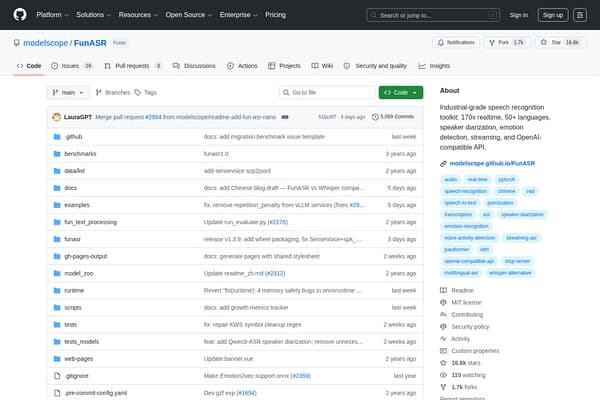
Next-gen speech recognition toolkit for multiple languages and features.
Discover and integrate AI plugins for Claude Code and OpenAI Codex.

Create autonomous web applications effortlessly with YouMake!

Streamline your coding with Clean Agent's AI-powered orchestration tools.
Organize Your Files with AI
The Drive AI automatically organizes, tags, and retrieves your files using artificial intelligence. Stop wasting time searching — let AI handle your file management.
Try The Drive AI freeKite is widely regarded as one of the easiest AI coding tools for beginners due to its seamless integration, real-time suggestions, and free access.
AI coding tools provide instant feedback, suggest code completions, explain errors, and help organize your projects, making the learning process faster and less frustrating.
Yes, tools like Kite and DeepCode offer free plans with core features suitable for beginners, allowing you to start coding with AI assistance at no cost.
Absolutely. By automating error detection, suggesting best practices, and improving code quality, AI tools help you develop habits and skills that are valued in the industry.
Leading AI coding tools use secure integrations and respect your code privacy, but always review each tool's privacy policy, especially when working on sensitive projects.
No. AI tools are best used as assistants that speed up learning and reduce frustration, but understanding programming concepts is still essential for long-term success.
ai coding · startups
ai coding · developers
ai research · journalists
ai research · academics
ai video · marketers
ai video · youtubers
Explore the full directory of AI coding tools on withaitools.com and find the perfect assistants to accelerate your growth as a beginner developer.