Ollama
Private, local AI model access with stable chat for macOS users.
AI Chatbots·freemium
Launching a startup means racing against the clock, stretching every dollar, and making sure your codebase is robust from day one. For small teams, the right AI coding tools can transform productivity, help catch costly bugs early, and free up precious developer time for building unique value—not fighting infrastructure or tech debt.
Explore withaitools.com to compare and find the perfect AI coding tools for your startup's unique needs. Stay ahead by leveraging the latest technology to build smarter and faster.
Building a startup is a balancing act: you want to ship quickly, iterate on feedback, and keep technical debt under control—all with a small, often overworked team. Unlike larger organizations, startups can’t afford long QA cycles, bloated code reviews, or inefficient workflows. Every bug that escapes to production is a potential customer lost, and every hour spent on repetitive coding is an hour not spent on innovation.
AI coding tools are game changers for startups: they automate code reviews, generate boilerplate, suggest improvements, and even handle some of the menial aspects of project setup and file management. For teams with only a handful of developers, these tools are the virtual teammates that multiply output without multiplying payroll. Crucially, they help ensure that quality, security, and maintainability aren’t sacrificed for speed—something that can haunt a team months or years later.
In practice, these tools mean less time spent on code that “just works,” and more time for creative problem-solving and differentiation. For startups, that’s not a nice-to-have; it’s a survival strategy.
When evaluating AI coding tools for your startup, it’s important to go beyond hype and focus on the features that actually move the needle for lean teams. Here’s what matters most:
Ease of Integration: Startups can’t afford a long onboarding process. Tools should offer quick setup, minimal configuration, and compatibility with your existing stack—whether that’s Python, JavaScript, Java, or something else.
Real-Time Feedback: For maximum impact, the tool should offer suggestions or code improvements as you type or during pull request reviews, not after-the-fact. Instant feedback helps catch issues before they snowball.
Collaboration Features: Small teams work closely. Tools that support comments, shared code suggestions, or easy codebase-wide search can enhance collaboration and knowledge sharing.
Pricing Flexibility: Most startups have tight budgets. Look for freemium models or free plans that allow small teams to get value before committing to paid upgrades.
Security and Privacy: Your code is your company’s IP. The tool should handle data securely, ideally offering on-premises options or strong privacy promises for sensitive codebases.
Breadth of Features: Some tools are specialized (e.g., code review), others are more holistic (e.g., code assistants, file management). Consider what gaps exist in your current workflow and select tools that fill those without overlap.
Support for Modern Languages and Frameworks: Ensure the tool supports the languages and frameworks your team is using—there’s no value in a great tool that doesn’t speak your stack.
Sourcery is an AI-powered code improvement tool that focuses on making your code cleaner and more efficient as you write. For startups, this means catching common anti-patterns, refactoring opportunities, and potential bugs in real-time—directly within your IDE. The tool’s real-time suggestions can be a lifesaver for teams with less time for manual code reviews or who are onboarding junior developers.
Pricing: Sourcery offers a freemium model, making it accessible for early-stage startups. The free tier covers many essential features, so you can see value before scaling up.
Limitation: Sourcery currently provides the strongest support for Python. If your stack is heavily oriented toward other languages, you may find its suggestions less comprehensive.
For startups, organizing code, assets, and documentation can be as critical as writing software. The Drive AI is an AI-powered file management tool that helps teams keep project files, design assets, and documentation easily searchable and organized. When you’re moving fast, losing track of the latest requirements doc or a key design mockup can stall development or lead to costly rework.
Pricing: The Drive AI offers a free plan suitable for startups, with paid upgrades as your needs grow.
Limitation: While it excels at organizing and retrieving files, it’s not a code-writing assistant per se—think of it as the layer that keeps all your project assets in order so your developers never have to waste time hunting for files.
CodeAssistant is focused on providing automatic code suggestions and enhancements tailored for developers. For startups, it’s like having an extra set of eyes on your code—spotting inefficiencies, suggesting better patterns, and even filling in common code blocks based on context. With a freemium pricing model, it’s accessible even for seed-stage teams looking for productivity boosts without a heavy investment.
Pricing: Freemium, with a robust free tier and additional features for paid users.
Limitation: While CodeAssistant handles a wide range of languages and frameworks, some advanced features (like deep integration into CI/CD pipelines) are reserved for premium plans.
Kite is a coding assistant designed to supercharge developer productivity with AI-driven autocompletion and code navigation. Kite is especially useful for fast-moving startups that need to onboard new developers quickly or get junior engineers up to speed. Its context-aware suggestions can help reduce syntax errors and speed up the writing of boilerplate code.
Pricing: Free, which is ideal for budget-conscious startups.
Limitation: Kite’s strength is mainly in Python, with limited support for other languages. Teams using a diverse tech stack may need to pair Kite with other tools.
DeepCode acts as your AI-powered code reviewer, scanning for bugs, code smells, and security vulnerabilities using advanced machine learning models. For startups, it’s an invaluable layer of defense against the kinds of issues that can slip through fast-moving, small-team development cycles. DeepCode’s suggestions are often more nuanced and context-aware than static analysis tools, giving you insights that manual review might miss.
Pricing: Freemium, making it a compelling choice for startups that want to improve code quality without a big upfront cost.
Limitation: DeepCode works best when fully integrated with your version control system and CI/CD, which may require some setup and might not be as seamless for teams not using mainstream workflows.
A modern startup workflow is a tapestry of moving parts, and these AI tools fit together to create a seamless, efficient development pipeline:
Together, these tools cover the spectrum from writing and improving code, to managing assets, to ensuring security and quality—all while keeping the workflow lightweight and accessible. A typical day might look like a developer starting with Kite and CodeAssistant for new feature development, using Sourcery for live refactoring, uploading assets and docs to The Drive AI, and running a DeepCode scan before merging code to production.
|------|-----------|---------| | Sourcery | Python code quality & refactoring | Freemium | | The Drive AI | File & asset management | Free & Paid | | CodeAssistant | Code suggestions & productivity | Freemium | | Kite | Fast autocomplete in Python | Free | | DeepCode | AI-powered code reviews | Freemium |
To get the most out of AI coding tools as a startup, start by mapping your team’s biggest bottlenecks—are you losing time to code review, poor documentation, or repetitive coding tasks? Next, pilot one tool at a time in a real project; for example, integrate Sourcery or Kite into your IDE and measure the improvement in code quality and speed. Use The Drive AI to centralize project documentation and assets so everyone is on the same page. Set up DeepCode as a post-commit or pre-merge check to catch bugs before production. Finally, periodically review which tools are delivering the most value and adjust your toolset as your team and product evolve. By methodically integrating these AI-powered helpers, your startup can move faster, build smarter, and focus more energy on what makes your product unique.
Sourcery provides real-time code improvements and refactoring for Python, ideal for startups seeking to maintain high code quality with limited resources. Its freemium pricing is accessible for small teams.
The Drive AI helps startups keep project assets, documentation, and code files organized and searchable, preventing bottlenecks caused by lost files or poor knowledge sharing.
CodeAssistant boosts developer productivity for startups by offering context-aware code suggestions and enhancements, saving time on routine coding tasks. Its freemium model is startup-friendly.
Kite accelerates Python development with AI-powered autocomplete, making it perfect for startups onboarding new developers or aiming to reduce syntax errors and speed up feature delivery.
DeepCode delivers advanced, machine learning-driven code reviews to catch bugs and vulnerabilities early—critical for startups that can't afford production outages or technical debt.
Browse 75 tools in this category
Private, local AI model access with stable chat for macOS users.
Run Claude and Codex AI coding agents in parallel on Mac.
AI app builder creating full-stack Next.js apps from a single prompt
Plugin marketplace and verification tool for DeepSeek Harness (dsh) plugins
Open-source directory of reverse-engineered projects and compatible alternatives
Estimates the monetary value of your GitHub repos using AI licensing rates.
AI-powered tool to generate code and software components instantly.
Advanced large-context AI language model with always-on reasoning
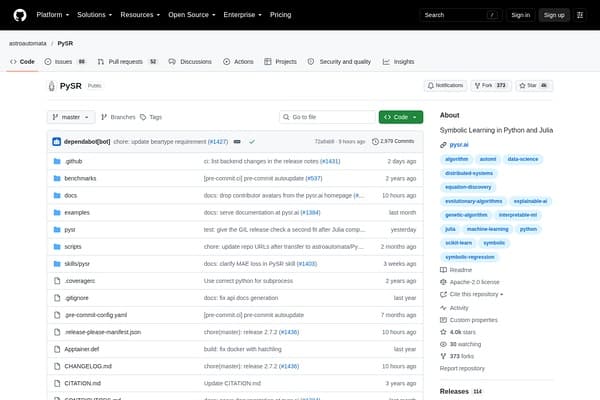
Discover concise symbolic models from data with Python and Julia.
Organize Your Files with AI
The Drive AI automatically organizes, tags, and retrieves your files using artificial intelligence. Stop wasting time searching — let AI handle your file management.
Try The Drive AI freeTop choices for budget-conscious startups include Kite (free), Sourcery (freemium), CodeAssistant (freemium), and DeepCode (freemium). These tools provide significant value even on their free plans.
Yes, AI coding tools automate routine tasks, catch bugs early, and offer suggestions that speed up development, allowing small teams to focus on product features and innovation.
AI code review tools like DeepCode catch common bugs and security vulnerabilities quickly, supplementing manual reviews and reducing the risk of human oversight, but shouldn't replace human judgment entirely.
Most reputable AI coding tools use secure protocols and privacy controls, but always review each tool’s privacy policy and consider on-premises or self-hosted options if data sensitivity is a concern.
Start by listing your supported languages and frameworks, then prioritize tools that offer integration and support for your stack. Test free versions before committing to a paid plan.
Begin by piloting one tool on a specific project, gather feedback from the team, and gradually expand usage to other areas of your workflow as confidence grows.
ai coding · developers
ai coding · beginners
ai research · journalists
ai research · academics
ai video · marketers
ai video · youtubers
Explore withaitools.com to compare and find the perfect AI coding tools for your startup's unique needs. Stay ahead by leveraging the latest technology to build smarter and faster.