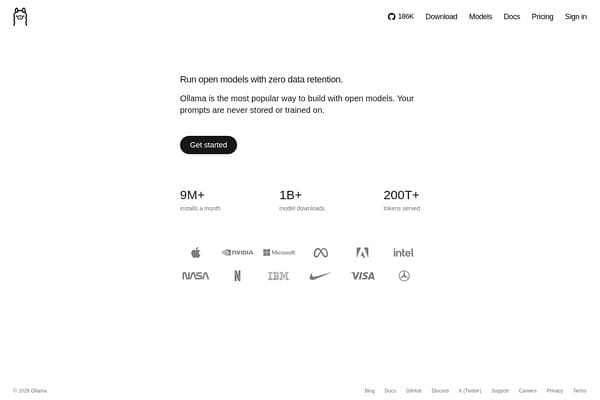
Ollama
Private, local AI model access with stable chat for macOS users.
AI Chatbots·freemium
For developers, keeping up with rapid changes in frameworks, languages, and best practices can be overwhelming. Manual code reviews, debugging, and managing countless files eat into precious coding time. AI coding tools promise to ease these pressures, but choosing the right ones is crucial if you want to boost productivity without compromising quality.
Find even more AI tools for developers at withaitools.com and supercharge your coding workflow today.
Modern software development is more complex than ever. Developers face mounting pressures: tight deadlines, growing codebases, constant context-switching, and the need to maintain code quality at scale. The tools and frameworks change rapidly, with new libraries, APIs, and languages coming into play every year. Amidst this churn, manual processes like code review, debugging, and test data generation become productivity bottlenecks. Even seasoned developers can struggle to keep up with best practices or catch subtle bugs before deployment.
AI coding tools have emerged as indispensable aids in this landscape. Instead of relying solely on manual code review or searching Stack Overflow for solutions, developers can now leverage machine learning models trained on millions of codebases. These tools automate repetitive tasks—such as code suggestions, refactoring, documentation, and error detection—freeing up time for creative problem-solving and architectural decisions. For teams, AI tools promote consistency and reduce knowledge silos, making onboarding and collaboration smoother. For solo developers, they can serve as a tireless coding partner, ready to offer suggestions, generate test data, or even handle code reviews while you focus on the big picture.
Beyond code itself, developers often juggle vast numbers of files: source code, documentation, design assets, and more. Finding, organizing, and sharing these assets efficiently is vital—especially for distributed teams. AI-powered file management tools bring order to this chaos by automating tagging, search, and organization. In short, AI coding tools aren’t just nice-to-haves: they’re quickly becoming essential for anyone serious about delivering high-quality software at speed.
Selecting the right AI coding tools isn’t just about picking the latest gadget. Developers need to evaluate tools based on specific needs, workflows, and team structures. First, accuracy and relevance of suggestions are paramount; a tool that generates incorrect code or floods you with irrelevant tips can slow you down rather than help. Look for solutions that integrate seamlessly with your primary IDEs (like Visual Studio Code, JetBrains, or Atom) and support your stack—whether that’s JavaScript, Python, Java, or other languages.
Scalability matters, too. If you’re working on large enterprise projects, you’ll need a tool that can handle complex codebases without performance lags. For teams, collaboration features—like shared code reviews, comment threads, or permissions—can make or break adoption. Security and data privacy are also crucial, especially if your code contains proprietary logic or sensitive data. Developers should check whether tools run locally, in the cloud, or offer a hybrid approach, and understand what data (if any) is sent to external servers.
Pricing models vary widely: some tools are entirely free, while others use a freemium or paid subscription model. Consider how these align with your usage patterns and budget. Finally, check for vendor support, documentation quality, and an active community. The best AI coding tools are well-maintained, come with clear onboarding guides, and have active forums or support channels to help when you hit a snag. Ultimately, the right tool should blend into your workflow, amplify your productivity, and help you write better code, faster.
One often-overlooked aspect of developer productivity is file management. Whether you’re juggling source code, documentation, or design assets, keeping everything organized and accessible is vital—especially in remote or hybrid teams. The Drive AI is an AI-powered file management tool designed to help developers organize, search, and manage all their project files efficiently. Instead of wasting precious minutes hunting for a specific script or configuration file, The Drive AI uses intelligent tagging and natural language search to surface what you need instantly. It supports collaborative workflows, making it easy to share assets with teammates or sync changes across devices.
The Drive AI’s real strength lies in its automation: it can auto-tag code files based on content, suggest folder structures, and even help with versioning. This reduces clutter and minimizes the risk of losing important assets. Pricing is tailored for developers and teams, making it accessible whether you’re a solo coder or part of a larger organization. One limitation is that while The Drive AI excels at file management, it isn’t a code editor or reviewer itself—it’s best used alongside dedicated coding tools.
For Python developers focused on writing clean, efficient code, Sourcery is a game-changer. This AI-powered code improvement tool provides real-time suggestions right inside your IDE, highlighting areas where your code can be made more concise, readable, or performant. Sourcery’s algorithms are trained on thousands of open-source Python projects, so its advice is grounded in real-world best practices. It can automatically refactor code, remove redundancies, and flag potential bugs—saving hours of manual review and refactoring time.
Sourcery operates on a freemium model, allowing solo developers to get started for free, with premium features available for teams or heavy users. A notable strength is its seamless integration with popular editors like VS Code and PyCharm. However, its main limitation is language support: currently, Sourcery is Python-centric, so it’s not the best fit for developers working primarily in other languages.
CodeGuru, an Amazon Web Services (AWS) product, brings the power of machine learning to code review and application performance tuning. It scans your codebase and offers actionable insights—highlighting security vulnerabilities, detecting inefficient code, and suggesting optimizations. Integration with existing AWS workflows is smooth, making it an excellent choice for teams already committed to the AWS ecosystem.
CodeGuru uses a freemium pricing model, charging based on usage and code volume. One of its standout features is its ability to provide detailed performance profiling for Java applications, revealing bottlenecks that aren’t always obvious during development. However, it’s best suited for projects already hosted on AWS—using CodeGuru outside of Amazon’s infrastructure can be cumbersome and may not deliver the same depth of integration.
Kite is a revolutionary coding assistant that leverages deep learning to deliver context-aware code completions, documentation, and function signatures as you type. With support for over 16 programming languages and integration with popular editors (including VS Code, Atom, Sublime Text, and more), Kite is perfect for polyglot developers who switch between languages and projects.
Kite is completely free, making it accessible to hobbyists and professionals alike. Its AI engine predicts your next lines of code with impressive accuracy, drawing on a vast code knowledge base. Kite’s major strength is its ability to boost productivity for developers who value fast, accurate autocompletions. However, its limitation is that while it excels at code suggestions, it doesn’t offer deeper code analysis or review features—making it more of an assistant than a full workflow solution.
For developers and teams who prioritize robust code quality and security, DeepCode is a must-have. This AI-powered code review tool uses advanced machine learning models to scan your code for issues, vulnerabilities, and inefficiencies. Unlike static linters or traditional code analyzers, DeepCode learns from millions of open-source projects, delivering nuanced suggestions that catch subtle bugs and risky practices.
DeepCode operates on a freemium model, with free access for open-source projects and paid plans for private repositories or enterprise features. It integrates with major version control systems like GitHub and Bitbucket, automating code reviews as part of your CI/CD pipeline. A key limitation: while DeepCode is excellent for code review, it doesn’t directly generate new code or offer real-time autocompletion—so it’s best used alongside tools like Kite or Codex GPT for a complete workflow.
No single tool covers every aspect of the modern developer’s workflow. Instead, the real magic happens when you combine these AI tools into a cohesive pipeline. Start with Kite for intelligent code suggestions and autocompletions while you write, regardless of language. As you build out your codebase, Sourcery helps keep your Python code clean, readable, and efficient—with real-time refactoring suggestions.
When your code is ready for review, DeepCode scans for bugs, vulnerabilities, and inefficiencies, delivering detailed feedback before you merge or deploy. If you’re working in the AWS ecosystem or need deep performance insights, CodeGuru adds another layer of automated code review and application profiling. Throughout the process, The Drive AI ensures all your files—code, configs, documentation, and assets—are organized, searchable, and easy to share with your team.
By weaving these tools together, you create an AI-augmented workflow: code faster and smarter with Kite, refactor automatically with Sourcery, ensure quality with DeepCode and CodeGuru, and keep your digital workspace tidy with The Drive AI. The result? Higher code quality, fewer bugs, and more time spent building features instead of managing files or firefighting issues.
| Tool | Best For | Pricing |
|---|---|---|
| The Drive AI | Organizing and managing developer files | Custom |
| Sourcery | Real-time Python code improvements | Freemium |
| CodeGuru | ML-powered code reviews & performance tuning | Freemium |
| Kite | Fast, context-aware code completions | Free |
| DeepCode | Automated code review and security analysis | Freemium |
To get the most out of these AI coding tools, start by assessing your current workflow and identifying the biggest pain points: do you spend too much time searching for files, refactoring code, or waiting for code reviews? Begin by integrating Kite or Sourcery into your favorite IDE to boost productivity right away. For code quality, set up DeepCode or CodeGuru as part of your CI/CD process, so every commit is automatically reviewed.
Next, organize your project files and documentation with The Drive AI, ensuring your team has easy access to everything they need. Take advantage of the free tiers and trial options to experiment and find the right fit. Over time, you can expand your toolkit as your needs evolve, building a workflow that’s not only faster, but smarter and more resilient to change.
The Drive AI streamlines project file management for developers, using AI to organize, tag, and search code, documentation, and assets—ideal for keeping development workflows seamless and collaborative.
Sourcery is perfect for Python developers who want real-time, in-IDE code improvements, helping keep code clean, efficient, and maintainable with actionable AI suggestions.
CodeGuru offers developers automated code reviews and performance profiling, especially valuable for Java projects and teams deeply integrated with AWS.
Kite serves developers who value fast, accurate code completions across multiple languages and editors, boosting productivity with its free, AI-driven assistant.
DeepCode is best for developers and teams who want robust, AI-powered code reviews and security analysis, catching subtle bugs and vulnerabilities automatically.
Browse 75 tools in this category
Private, local AI model access with stable chat for macOS users.
Run Claude and Codex AI coding agents in parallel on Mac.
AI app builder creating full-stack Next.js apps from a single prompt
Plugin marketplace and verification tool for DeepSeek Harness (dsh) plugins
Open-source directory of reverse-engineered projects and compatible alternatives
Estimates the monetary value of your GitHub repos using AI licensing rates.
AI-powered tool to generate code and software components instantly.
Advanced large-context AI language model with always-on reasoning
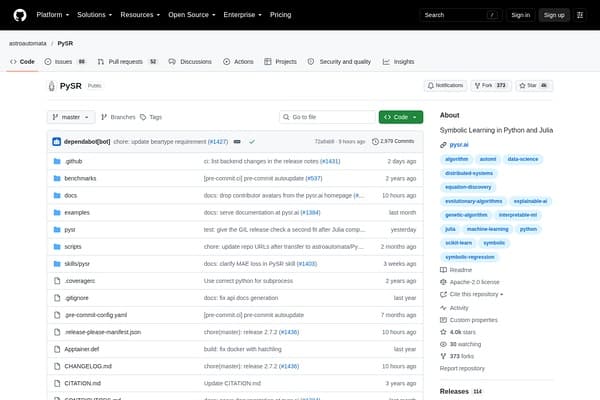
Discover concise symbolic models from data with Python and Julia.
Organize Your Files with AI
The Drive AI automatically organizes, tags, and retrieves your files using artificial intelligence. Stop wasting time searching — let AI handle your file management.
Try The Drive AI freeMost reputable AI coding tools prioritize security and privacy; however, you should always review each tool’s privacy policy. Some tools process code locally, while others may send snippets to the cloud. For sensitive projects, choose tools with clear data handling guarantees and local processing options.
Sourcery is tailored for Python and offers real-time in-editor suggestions and automatic refactoring, making it a top choice for Python developers aiming for clean, efficient code.
Yes. Most AI coding tools are designed to integrate with popular IDEs (like VS Code, PyCharm, and JetBrains), version control systems, and CI/CD pipelines, making adoption straightforward.
AI code review tools like DeepCode and CodeGuru use machine learning trained on vast codebases to provide nuanced suggestions, catch subtle bugs, and detect security vulnerabilities that basic linters or static analyzers might miss.
Kite is a leading free AI coding assistant, offering accurate autocompletions and documentation support across many programming languages and editors.
ai coding · startups
ai coding · beginners
ai research · journalists
ai research · academics
ai video · marketers
ai video · youtubers
Find even more AI tools for developers at withaitools.com and supercharge your coding workflow today.