AI Book Writer
AI tool to plan, draft, revise, and export book manuscripts chapter-by-chapter.
AI Writing·free
Freelancers face constant pressure to deliver high-quality content quickly, juggle multiple projects, and stay organized—all while working solo. Sourcing reliable AI writing tools can be overwhelming, but the right technology can transform your workflow, cut down on repetitive tasks, and help you stay competitive in a crowded market.
Explore top-rated AI tools on withaitools.com and streamline your freelance writing workflow for more productivity and less stress.
Freelance writers operate in a fast-paced environment where time is money, deadlines are tight, and client expectations are high. Unlike staff writers or agency teams, freelancers must wear many hats: researcher, writer, editor, and project manager. This juggling act can make it difficult to maintain both quality and productivity.
For most freelancers, producing polished content efficiently is a daily struggle. Repetitive research, drafting, editing, and administrative tasks eat into valuable writing hours. Without the support of a team, even simple projects can become time-consuming—especially when managing multiple clients at once. There’s also the challenge of adapting writing style and tone to fit varied audiences, industries, and project types.
AI writing tools offer solutions tailored to these exact pain points. They can automate parts of the writing process, suggest improvements in real time, generate fresh ideas, and even help manage files and project assets. By embracing these technologies, freelancers gain more than just speed—they also increase their ability to deliver consistently high-quality work, meet tight deadlines, and free up time for higher-value tasks like client communication and creative thinking. Ultimately, AI tools empower freelancers to scale their businesses, reduce burnout, and stay ahead of the curve in a hyper-competitive field.
Not all AI writing tools are created equal—especially for freelancers, who need technology that delivers both flexibility and reliability. Here are the criteria that matter most when choosing the right tools for freelance writing:
1. Versatility: Freelancers may write blog posts one day, website copy the next, and marketing emails later in the week. Tools should support a wide range of content types, from long-form articles to short, engaging copy.
2. Quality of Output: The tool must produce natural, coherent, and on-brand text. Look for AI models trained on diverse, up-to-date datasets and those that offer customization options for tone and style.
3. Ease of Use: Freelancers don’t have time for a steep learning curve. The best tools have intuitive interfaces, clear onboarding, and helpful documentation.
4. Affordability: With unpredictable income streams, freelancers need tools offering freemium or flexible pricing. Avoid tools that lock essential features behind high paywalls or expensive subscriptions.
5. Integration and Workflow: Tools that fit seamlessly with other platforms (like file management, SEO, or publishing tools) reduce friction and save time. Some may even automate publishing or organize project files.
6. Support for Revision and Collaboration: Freelancers often need to revise drafts based on client feedback. Features like paraphrasing, suggestion mode, or collaborative editing are invaluable.
7. Data Security: Given the sensitivity of client work, freelancers must trust that their drafts and notes are securely stored and easily retrievable.
When vetting AI tools, consider how each candidate will fit into your day-to-day process—from initial research to final delivery. The right toolkit should make you faster, more organized, and less stressed, not just add another layer of complexity.
Successful freelancers know that keeping track of research, drafts, and client files is half the battle. The Drive AI stands out as a dedicated file management platform powered by AI, designed to organize your writing assets, contracts, client briefs, and creative resources in one place. For freelancers, this means no more wasting time searching for the right version of a draft or misplacing an important document.
The Drive AI auto-tags, categorizes, and indexes files, so you can retrieve anything instantly—even from large, unstructured folders. Its smart search features save hours each month, especially when juggling multiple projects or clients. One limitation is that it’s focused on file management, so you’ll need to pair it with writing-specific tools for drafting and editing. Pricing is competitive, with both free and paid options tailored to freelancers’ needs.
Jasper AI is one of the most popular AI-driven writing assistants for freelancers. It can generate long-form articles, social media posts, emails, and marketing copy with ease, using advanced language models and customizable tone settings. Jasper’s strength lies in its adaptability—it supports dozens of content types and offers templates for everything from blog intros to product descriptions.
Freelancers benefit from Jasper’s speed and flexibility. The tool can generate draft ideas or entire articles in minutes, freeing up time for research or client outreach. Its freemium pricing makes it accessible for beginners, while paid tiers unlock advanced features like SEO optimization and team collaboration. The main limitation is occasional output that requires human editing for nuance or accuracy, especially on complex topics.
Quillbot is an essential tool for freelancers who frequently need to rephrase client copy, avoid plagiarism, or adapt content for different audiences. Its AI-powered paraphrasing engine helps you rewrite sentences, improve clarity, and maintain the original meaning—all with just a few clicks.
Quillbot’s freemium model makes it a low-risk addition to any freelancer’s toolkit. The free version offers basic paraphrasing, while the paid tier unlocks advanced modes (like fluency or creative), increased character limits, and integrated grammar checking. One limitation is that it’s best used for shorter sections of text; longer documents may require breaking up the content or using it alongside other drafting tools.
INK is tailored for freelancers who need to create SEO-driven content that ranks. The tool combines AI writing assistance with built-in keyword optimization, readability analysis, and competitor benchmarking, making it ideal for blog writers, web copy specialists, and digital marketers.
INK’s user interface is intuitive, and its real-time feedback helps you optimize for both search engines and human readers. It’s offered on a freemium basis, giving freelancers flexibility to scale up as their projects grow. The main limitation is that some advanced features (such as content planning and SERP analysis) are only available on paid plans.
OpenAI GPT-4 represents the cutting edge of AI text generation. Its natural language understanding and generation capabilities enable freelancers to produce highly sophisticated content, handle nuanced topics, and experiment with creative formats. GPT-4 excels at long-form writing, technical content, and brainstorming sessions.
As a paid tool, GPT-4 is best suited for freelancers with demanding clients or those working on specialized projects that require top-tier output. Its main limitation is cost, which can add up for high-volume users. Additionally, its flexibility means you’ll need to guide and edit the output to ensure it meets client specifications and aligns with project goals.
A strategic freelance workflow often involves multiple stages—research, drafting, revising, optimizing, and file management. Here’s how these AI tools can work together seamlessly:
By integrating these tools, freelancers can streamline every phase of the writing process, deliver higher-quality work, and keep client materials safe and accessible. Each tool covers a distinct aspect of the freelance workflow, minimizing manual effort and maximizing productivity.
| Tool | Best For | Pricing |
|---|---|---|
| The Drive AI | File management & organization | Freemium |
| Jasper AI | Versatile content generation | Freemium |
| Quillbot | Paraphrasing & rewriting | Freemium |
| INK | SEO-focused writing | Freemium |
| OpenAI GPT-4 | Advanced language generation | Paid |
The first step to upgrading your freelance writing workflow is to identify the bottlenecks you face most often—whether it’s drafting, editing, managing files, or optimizing for SEO. Start by signing up for the freemium versions of The Drive AI, Jasper AI, Quillbot, and INK to explore their core features and interface. For specialized or demanding projects, consider investing in OpenAI GPT-4 to experience the full power of advanced AI generation.
Experiment with integrating these tools into your daily workflow: draft articles with Jasper, paraphrase tricky sections with Quillbot, optimize for search with INK, and keep everything organized with The Drive AI. Within a week, you’ll likely notice a significant boost in productivity and a clearer structure to your projects. Regularly review your workflow to identify areas for improvement, and don’t hesitate to explore new features or upgrade plans as your freelance business grows.
Ideal for freelancers needing to keep client contracts, drafts, and research organized. Its AI-powered file management saves time and ensures nothing gets lost.
Great for generating diverse content types quickly, from blog posts to social media copy. Suits freelancers who juggle multiple content formats.
Perfect for freelancers who need fast, accurate paraphrasing to avoid plagiarism or adapt content for different audiences.
Focuses on SEO-driven writing, making it invaluable for freelancers whose clients demand content that ranks well on search engines.
Delivers advanced, nuanced content generation for specialized projects or high-end clients. Ideal for freelancers with demanding writing tasks.
Browse 82 tools in this category
AI tool to plan, draft, revise, and export book manuscripts chapter-by-chapter.
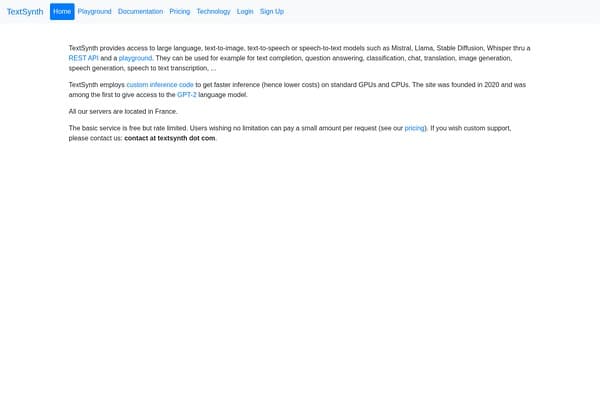
Multi-model AI platform for advanced text, speech, and image generation APIs.
Creates and publishes ebooks from your knowledge and notes
Remove hidden invisible characters from AI-generated text securely in-browser.
AI-powered tool to create unique character headcanons and writing prompts
Private browser-based Markdown editor with live preview and exports.
Spanish text word and character counting with detailed analysis.
AI tool to generate meaningful, culturally appropriate Chinese names
Create personalized digital love letters with words, photos, and music.
Organize Your Files with AI
The Drive AI automatically organizes, tags, and retrieves your files using artificial intelligence. Stop wasting time searching — let AI handle your file management.
Try The Drive AI freeQuillbot, Jasper AI, and INK all offer robust freemium plans, making them excellent choices for freelancers seeking quality without high upfront costs.
AI tools can automate many writing tasks, but human oversight is essential for nuance, authenticity, and meeting specific client requirements.
Use tools like Quillbot to paraphrase and adapt content, and always review and edit AI-generated drafts to ensure originality and proper attribution.
INK is designed specifically for SEO-driven writing, offering keyword optimization and competitor analysis to help your content rank higher.
Yes, The Drive AI excels at organizing files and assets for different clients, making it easier to track projects and meet deadlines.
Most AI writing tools, including Jasper AI and INK, are designed with intuitive interfaces and require no technical background to get started.
ai writing · marketers
ai writing · bloggers
ai writing · students
ai research · journalists
ai research · academics
ai video · marketers
Explore top-rated AI tools on withaitools.com and streamline your freelance writing workflow for more productivity and less stress.