Originality AI Detector
Free, no-signup AI text detector for ChatGPT, Claude, Gemini content
AI Writing·free
Balancing coursework, deadlines, and extracurriculars can make writing assignments feel overwhelming for students. Many struggle with research organization, writer’s block, or ensuring their work is original and polished. AI writing tools offer practical solutions designed to boost productivity, improve writing quality, and help students manage their academic workload more effectively.
Explore our complete AI tools directory to discover more writing assistants, essay helpers, and productivity solutions tailored for students. Boost your academic workflow and achieve your best results with the right AI support.
Academic writing is a cornerstone of student life, but it’s rarely straightforward. Between managing multiple assignments, adhering to strict formatting guidelines, and juggling personal commitments, students often find themselves pressed for time. The modern student’s workflow is more complex than ever: research must be gathered from diverse sources, essays require multiple drafts and revisions, and plagiarism checks are non-negotiable. Moreover, language barriers and varying writing proficiency levels can make the process even more daunting, especially for international students or those in STEM fields who may not consider writing their strongest skill.
Traditional solutions—library sessions, peer reviews, or late-night editing marathons—are helpful but insufficient for the pace and demands of today’s academic environment. As digital natives, students need tools that seamlessly integrate into their workflow, automate repetitive tasks, and provide instant feedback. AI writing tools meet these needs by offering features such as paraphrasing, grammar correction, content generation, and document organization. These tools not only save time but also foster independence, allowing students to focus on the substance of their work rather than getting bogged down by logistics or technicalities.
When choosing an AI writing tool, students should consider several key factors tailored to their academic needs. First and foremost is ease of use. Interfaces should be intuitive, allowing students to access features quickly without a steep learning curve. Compatibility is another must; tools that support a variety of file formats (PDFs, DOCX, Google Docs) or offer browser extensions fit better into the typical student workflow.
Affordability is crucial, given that most students operate on tight budgets. Freemium or low-cost pricing models are often preferred, allowing essential features without breaking the bank. Additionally, the quality of output matters—tools should offer accurate grammar and style suggestions, robust paraphrasing, and contextual understanding suitable for academic writing. Privacy and data security cannot be overlooked, especially when handling sensitive assignments or personal notes.
Finally, students should look for tools with specialized features such as citation generation, plagiarism detection, and collaboration options. Integration with other productivity tools or cloud storage can further streamline the process. Ultimately, the best AI writing tools empower students to produce original, high-quality work while reducing stress and saving time.
Quillbot stands out as a reliable AI-powered paraphrasing tool, making it invaluable for students who need to rephrase content, clarify complex passages, or avoid accidental plagiarism. Its intuitive interface allows quick sentence restructuring, synonym suggestions, and tone adjustments, which is particularly helpful when refining essays or research papers.
Quillbot’s free tier already provides robust paraphrasing capabilities, but the premium upgrade (freemium model) unlocks advanced grammar checking, more paraphrasing modes, and increased word limits—ideal for longer assignments. Students often use Quillbot to take notes from dense academic texts and rewrite them in simpler language, making studying more effective.
One limitation is that while Quillbot excels at rewriting, it does not generate entirely new content from scratch. For students seeking AI-generated drafts or creative ideation, Quillbot should be used in conjunction with other tools. Still, for refining and clarifying existing work, it’s one of the most accessible writing assistants available.
The Drive AI is a game-changer for students overwhelmed by disorganized research notes, lecture recordings, and assignment drafts. As an AI-powered file management tool, it enables seamless storage, categorization, and retrieval of documents. Students can upload research papers, notes, and even voice memos, then use Drive AI’s smart tagging and search features to locate files instantly.
While not a writing tool in the traditional sense, its integration into the workflow is essential for keeping sources and drafts organized—a common stumbling block for students tackling multi-source essays or group projects. With Drive AI, students reduce time lost to file hunting and can focus more energy on writing and editing.
One limitation is that while The Drive AI optimizes organization, it does not directly edit or generate text. However, by streamlining document management, it complements writing-focused tools and ensures students never lose track of important resources. Pricing is competitive, especially considering its AI-driven features.
OpenAI GPT-4 is a cutting-edge language model that can generate high-quality, contextually relevant text for virtually any academic purpose. Students use GPT-4 to brainstorm essay outlines, draft research papers, or even simulate peer reviews. The tool’s ability to understand prompts and produce coherent, nuanced responses makes it a powerful ally for tackling challenging assignments or overcoming writer’s block.
GPT-4 is a paid tool, reflecting its advanced capabilities. For students who need substantial assistance—such as drafting complex essays or conducting in-depth analysis—it can be worth the investment, especially for upper-level undergraduates or graduate students. The model’s adaptability allows it to support everything from creative writing assignments to technical reports.
However, one key limitation is that while GPT-4 can generate impressive drafts, the content may require fact-checking and alignment with academic integrity policies. Students must review and revise AI-generated content to ensure it meets their institution’s standards and accurately reflects their own understanding.
Skillshare Write offers a unique approach by combining AI-enhanced writing assistance with access to a vast library of expert-led courses. Students not only receive real-time grammar and style suggestions but can also improve their fundamental writing skills through structured workshops and lessons.
Its freemium model allows students to sample courses and basic writing support for free, making it accessible to most. For those who wish to unlock more advanced courses or personalized feedback, affordable premium options are available. Students often use Skillshare Write to brush up on essay structure, learn citation best practices, and gain confidence in their writing through interactive assignments.
A limitation is that while Skillshare Write excels at skill development and ongoing learning, its AI writing assistance is not as advanced as dedicated text-generation tools like GPT-4. For students seeking a blend of learning and hands-on support, however, it’s a strong choice.
INK is tailored for students who want to ensure their writing is both engaging and optimized for online visibility—perfect for blog assignments, portfolio pieces, or digital publications. INK combines AI-driven grammar correction and content suggestions with powerful SEO features, helping students create polished, professional writing that stands out.
Operating on a freemium model, INK provides essential writing and SEO capabilities at no cost, with premium upgrades available for more advanced optimization. Students benefit from features like distraction-free writing, readability analysis, and keyword suggestions, which can be invaluable for assignments that require publishing work online.
One limitation is that while INK is a fantastic tool for digital writing, its academic citation and plagiarism tools are less robust than some alternatives. For traditional essays or research papers, it works best when paired with tools focused on academic standards.
For students aiming to produce high-quality work efficiently, these tools form a cohesive workflow. Start with The Drive AI to organize all research materials, notes, and assignment drafts in one searchable space. As you begin drafting, use OpenAI GPT-4 to generate outlines, brainstorm ideas, or create first drafts tailored to your prompt. When revising, Quillbot helps you paraphrase, clarify, and improve the quality of your writing, ensuring it is both original and polished.
For developing long-term writing skills or tackling challenging formats, Skillshare Write provides structured learning and feedback, so your writing evolves with each assignment. If your coursework involves digital publishing, INK ensures your work is not only well-written but also optimized for online audiences.
Together, these tools address every stage of the student writing process—from organizing research and generating ideas to refining drafts and building writing proficiency. Used in tandem, they save time, reduce stress, and help students consistently deliver their best work.
| Tool | Best For | Pricing |
|---|---|---|
| Quillbot | Paraphrasing & rewriting drafts | Freemium |
| The Drive AI | Organizing research & notes | Paid |
| OpenAI GPT-4 | Generating essays & brainstorming | Paid |
| Skillshare Write | Improving writing skills | Freemium |
| INK | SEO & digital writing assignments | Freemium |
The first step is to identify the areas in your writing process where you most need support—be it organizing research, overcoming writer’s block, or refining your prose. Begin by setting up The Drive AI to centralize your materials; upload your notes, sources, and drafts for easy access. Next, experiment with OpenAI GPT-4 to generate essay outlines or sample paragraphs based on your assignment prompts. Use Quillbot to paraphrase complex readings or rewrite sections of your draft for clarity.
For skill development, enroll in a relevant course on Skillshare Write and apply their lessons to your current assignments. If your coursework includes online publishing, draft your post in INK to optimize it for readability and discoverability. By integrating these tools into your workflow, you’ll not only improve your writing outcomes but also build habits that serve you throughout your academic career.
Quillbot's AI paraphrasing makes rewording and clarifying academic texts simple, ideal for students needing to avoid plagiarism or improve clarity in essays.
The Drive AI streamlines file organization, helping students keep research, notes, and assignments instantly accessible and well-organized.
OpenAI GPT-4 generates high-quality essay drafts, brainstorms ideas, and offers advanced text generation for complex academic assignments.
Skillshare Write combines AI writing suggestions with courses and workshops to help students actively improve their academic writing skills.
INK is perfect for students publishing online, offering AI-driven writing guidance with SEO optimization to ensure assignments are engaging and discoverable.
Browse 72 tools in this category
Free, no-signup AI text detector for ChatGPT, Claude, Gemini content
Detecta textos generados por inteligencia artificial al instante
Detect and remove Claude AI text watermarks with humanizing rewriting.

Transform your content creation with AI-driven automation.

Revolutionize your content with AI-powered text generation.
Free text, symbol, and notation tools for easy copy-pasting.
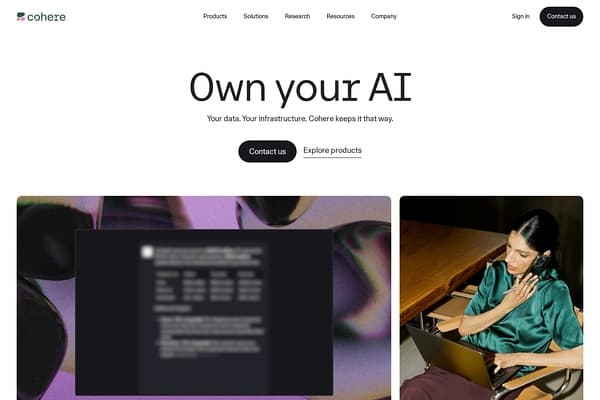
Unlock the power of AI with Cohere's secure, customizable platform!
Humanizes AI text for natural-sounding writing.
Revolutionize your writing with AI-powered content generation!
Organize Your Files with AI
The Drive AI automatically organizes, tags, and retrieves your files using artificial intelligence. Stop wasting time searching — let AI handle your file management.
Try The Drive AI freePolicies vary by institution. Many colleges allow AI tools for brainstorming or editing, but students must ensure all work is original and properly cited. Always check your school's academic integrity guidelines.
Quillbot and Skillshare Write both offer strong free tiers, making them ideal for students needing paraphrasing or writing skill development without cost.
Use AI tools for idea generation or paraphrasing, but always rewrite content in your own words and cite sources. Run your work through plagiarism checkers before submitting.
Yes. The Drive AI is particularly effective for managing and searching through research notes, papers, and drafts, streamlining the writing workflow.
OpenAI GPT-4 stands out for generating comprehensive essay drafts and brainstorming ideas, though fact-checking and editing are still necessary.
Most tools, like Quillbot and INK, offer browser extensions or allow easy copy-paste integration with Google Docs and Microsoft Word.
ai writing · freelancers
ai writing · marketers
ai writing · bloggers
ai research · journalists
ai research · academics
ai video · marketers
Explore our complete AI tools directory to discover more writing assistants, essay helpers, and productivity solutions tailored for students. Boost your academic workflow and achieve your best results with the right AI support.