
50% off
The Drive AI
AI-powered smart document management with natural language commands.
AI Productivity·freemium50% off →
Executives face relentless demands on their time, with back-to-back meetings, endless documents, and high-stakes decisions. Manual processes and information overload make it difficult to focus on what matters: strategic leadership and growth. AI productivity tools can help executives reclaim their calendars, keep critical data organized, and make faster, more confident decisions.
Browse withaitools.com to compare top AI tools for executives, discover new solutions, and streamline your business leadership with advanced automation.
Top-level executives today are under unprecedented pressure to deliver results while navigating complex, fast-moving business environments. The demands of leadership roles have shifted from traditional management to real-time decision-making, constant communication, and cross-functional collaboration. A CEO or executive’s typical day is packed with meetings, emails, and critical documents that need quick attention and action. The cumulative effect of these tasks is not just exhaustion—it’s a genuine risk of missing strategic opportunities or overlooking key details that could impact the business.
Manual productivity methods, such as handwritten notes, scattered cloud files, or traditional calendar management, simply can’t keep pace with the volume and velocity of information. Executives who rely solely on these methods often find themselves buried under administrative work, struggling to recall important discussion points, or wasting time searching for vital documents. The cost isn’t just personal stress—it can mean slower decisions, missed market shifts, and lost competitive advantage.
AI productivity tools are designed to address these pain points head-on. They automate repetitive tasks, organize information from multiple sources, and provide intelligent support for meetings, delegation, and document management. For executives, the right AI tools mean fewer distractions, faster access to what matters, and more energy to focus on leadership, vision, and innovation.
Executives require AI tools that do more than just automate routine work—they need platforms that are secure, intuitive, and capable of integrating seamlessly with existing workflows. When evaluating AI productivity tools, there are several criteria that should guide the decision-making process:
1. Security and Compliance: Executives handle sensitive company information daily. Look for tools that offer robust encryption, compliance with relevant regulations (like GDPR or SOC 2), and clear data privacy policies. Security features should be easy to configure without adding friction to daily use.
2. Workflow Integration: The best AI tools fit into your existing workflow, not the other way around. Check for compatibility with core business applications such as Microsoft Office 365, Google Workspace, Slack, and major CRM platforms. A tool that requires constant context switching or manual data transfer undermines productivity gains.
3. Real-Time Collaboration: Leadership today is a team sport. Tools that enable real-time note sharing, task delegation, and collaborative editing ensure executives can keep teams aligned and projects moving, even during complex, multi-stakeholder meetings.
4. Customization and Flexibility: Every executive’s workflow is unique. Look for AI solutions that allow customization—setting priorities, adjusting notifications, and tailoring dashboards—to match your working style and preferences.
5. Automation Depth: The most valuable tools go beyond surface-level automation. Seek out features like intelligent meeting summaries, proactive task suggestions, and cross-platform memory sync that reduce manual follow-up and ensure nothing slips through the cracks.
6. Usability and Support: Products should offer an intuitive interface, minimal onboarding time, and responsive customer support. Executives don’t have time for steep learning curves or unresolved technical issues.
By focusing on these criteria, executives can select AI productivity tools that deliver genuine time savings, decision support, and peace of mind.
Mina AI is a live meeting assistant designed to capture, transcribe, and summarize real-time conversations—a game-changer for executives drowning in back-to-back calls. With its freemium pricing, Mina AI automates note-taking during live meetings, freeing you from the distraction of manual minutes and allowing you to focus on strategic discussion. The platform’s AI-driven transcription is highly accurate, and meeting summaries can be instantly shared with your team for rapid alignment.
Where Mina AI stands out for executives is its integration with popular conferencing tools like Zoom and Google Meet, as well as its ability to tag action items and deadlines directly from the conversation. This means no more critical points getting lost in your inbox or forgotten after a long day.
A limitation to note: while Mina AI excels in live meeting environments, it may not provide deep analytics or insights into meeting effectiveness over time, which some larger organizations might require for process improvement.
The Drive AI is an AI-powered file management tool crafted for executives who need instant, organized access to the documents that drive business decisions. Priced on a freemium model, it provides intuitive search, document tagging, and automated sorting, making it easy to organize everything from board presentations to legal contracts.
For executives, the key advantage of The Drive AI is its ability to intelligently surface related files and context based on your recent activity or meetings. This means you can walk into a meeting with all relevant documentation at your fingertips—no more last-minute scrambling or digging through endless email threads. The Drive AI also supports granular permission controls, so sensitive files stay secure and shareable with the right stakeholders.
A limitation: while The Drive AI is powerful for document management, it does not currently offer built-in document editing or annotation, so you’ll still rely on your preferred productivity suite for direct content changes.
Otter.ai is a trusted name in AI-powered meeting transcription and note-taking, used by executives at leading companies to capture every word of critical conversations. Available on a freemium basis, Otter.ai transcribes meetings in real-time, allowing executives to highlight key moments, add comments, and share detailed notes with colleagues.
For executives leading multiple teams or cross-functional projects, Otter.ai streamlines the process of capturing insights and decisions from meetings, ensuring nothing is lost in translation. The platform’s collaborative features make it easy to assign follow-ups and keep everyone on the same page.
A limitation: while Otter.ai is excellent for transcription, its action tracking features are less advanced than some task management platforms, so it’s best paired with other tools for comprehensive workflow automation.
Mindra caters specifically to executives seeking to optimize team productivity through intelligent task delegation. Offered as a freemium solution, Mindra uses AI to analyze team bandwidth, suggest optimal task assignments, and monitor project progress. This dramatically reduces the time executives spend manually distributing work and chasing updates.
Mindra’s real-time dashboards and integration with collaboration tools make it easy for executives to oversee project pipelines and ensure accountability. The result is more efficient teams, less micro-management, and more time for high-level strategy.
A limitation of Mindra is that its effectiveness depends on accurate data input from team members. If your organization struggles with adoption of new platforms, there may be a learning curve to realizing Mindra’s full potential.
Choosaro is an AI-powered decision analysis tool designed to help executives make fast, data-driven choices. Available on a freemium basis, Choosaro allows users to input multiple options and variables, then leverages AI to provide recommendations, highlight risks, and visualize potential outcomes.
Executives benefit from Choosaro’s ability to synthesize complex data and present clear, actionable insights. Whether you’re evaluating new product lines, M&A opportunities, or operational changes, Choosaro provides a structured, unbiased analysis framework—reducing decision fatigue and increasing confidence.
A limitation: while Choosaro accelerates analysis, it relies on the quality and completeness of input data. For nuanced, qualitative decisions, executive judgment will always play a vital role alongside AI recommendations.
When integrated strategically, these AI productivity tools create a seamless workflow that addresses the core challenges executives face every day. Here’s how they fit together:
In practice, an executive might use Mina AI to record a strategic meeting, have Otter.ai transcribe and highlight key points, store the resulting documents in The Drive AI, delegate follow-ups via Mindra, and use Choosaro to evaluate potential outcomes for a critical business decision. Each tool plays a specialized role, reducing manual effort and ensuring nothing falls through the cracks.
| Tool | Best For | Pricing |
|---|---|---|
| Mina AI | Live meeting capture & summaries | Freemium |
| The Drive AI | Document management & file organization | Freemium |
| Otter.ai | Transcription & collaborative notes | Freemium |
| Mindra | AI-powered task delegation | Freemium |
| Choosaro | Decision analysis & scenario planning | Freemium |
For executives ready to harness the power of AI productivity tools, the first step is to identify your biggest workflow bottlenecks—whether that’s meeting overload, document chaos, or decision paralysis. Start by piloting one tool in a focused area: use Mina AI or Otter.ai to capture your next round of executive meetings, or set up The Drive AI to organize key strategic documents.
Once you’re comfortable with the basics, expand your toolkit by integrating Mindra for delegation and Choosaro for structured decision-making. Most tools offer a freemium tier, so you can test features and gauge adoption before rolling them out organization-wide. Involve your executive assistant or chief of staff in onboarding, and set clear expectations for data security and workflow integration.
By taking a phased, needs-driven approach, you’ll quickly see the benefits of AI productivity tools—more time for leadership, better information flow, and greater confidence in every decision you make.
Mina AI’s live meeting assistant is ideal for executives who need accurate, real-time transcription and actionable meeting summaries. It integrates smoothly with major conferencing platforms and highlights action items, making it easy to keep teams aligned and accountable.
The Drive AI provides executives with intuitive, AI-powered file management, surfacing relevant documents before meetings and ensuring secure, organized access to all critical business files.
Otter.ai excels at transcribing meetings and supporting collaborative note-taking, making it invaluable for executives leading multiple teams or projects who need to capture every key decision and action item.
Mindra leverages AI to analyze team bandwidth and suggest optimal task delegation, helping executives streamline project management and ensure work is distributed efficiently across teams.
Choosaro is designed for executives who need fast, data-driven decision analysis. It provides clear recommendations and risk assessments, supporting confident leadership choices.
Browse 122 tools in this category
AI-powered smart document management with natural language commands.
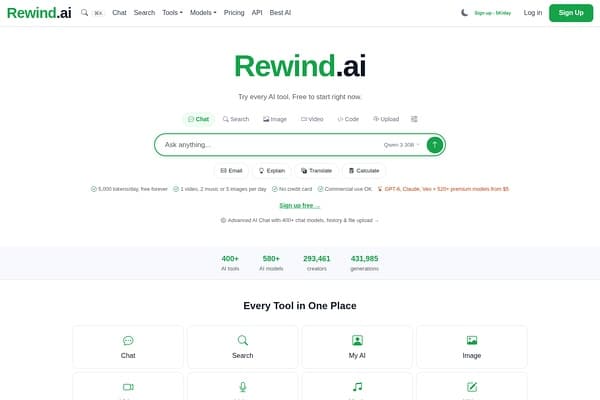
AI-powered personal memory tool to record and search your digital life.
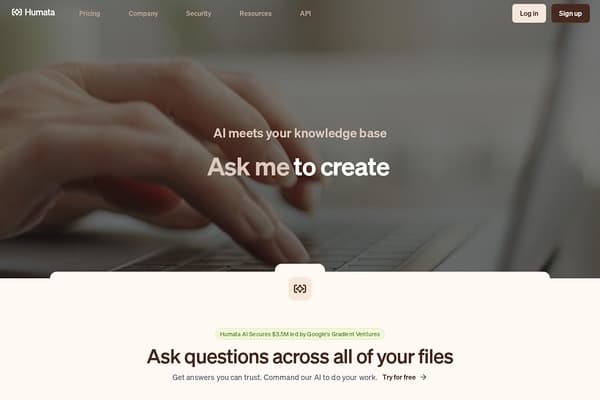
AI-powered tool that answers questions and summarizes your documents instantly.
Free AI tools running locally on your computer without accounts or uploads.

Interactive playground for prototyping and testing GPT-3 AI models.

Advanced AI tool streamlining customer data and CRM management.
Streamline AI prompt creation and management with Easy Prompt.
Tracks and forecasts Codex usage reset events with public data.
Share text, images, and files across devices securely.
Organize Your Files with AI
The Drive AI automatically organizes, tags, and retrieves your files using artificial intelligence. Stop wasting time searching — let AI handle your file management.
Try The Drive AI freeTop AI productivity tools for executives include Mina AI for meeting management, The Drive AI for file organization, Otter.ai for transcription, Mindra for task delegation, and Choosaro for decision support.
AI tools automate repetitive tasks like note-taking, file organization, and task delegation, allowing CEOs to focus on strategic decision-making and leadership.
Many AI productivity tools offer enterprise-grade security, encryption, and compliance features suitable for executive-level data and sensitive information.
Yes, leading AI tools are designed to integrate with platforms like Office 365, Google Workspace, and Slack, ensuring seamless workflow adoption for executives.
Mina AI specializes in live meeting assistance and action item tracking, while Otter.ai focuses on accurate transcription and collaborative note-sharing.
Consider your workflow needs—such as meeting management, document access, or decision analysis—and select tools that align with your preferences for integration, automation, and usability.
ai productivity · students
ai productivity · remote workers
ai research · journalists
ai research · academics
ai video · marketers
ai video · youtubers
Browse withaitools.com to compare top AI tools for executives, discover new solutions, and streamline your business leadership with advanced automation.